+ Reply to Thread
Results 1 to 9 of 9
  1. #1
    Forum Mod
    Join Date
    Jun 2011
    Location
    Uk
    Posts
    5,598
    Thanks
    85
    Thanked 449 Times in 424 Posts

    What am I doing wrong

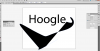
    OK I am really wanting to get into using Adobe Illustrator and never really used the pen tool before in Illustrator. However I am trying what appears to be a basic tutorial that uses a stroke from pen tool under text. However when I am using pen tool in a new document it works as expected but as soon as I have typed some text and then go to use the pen tool it is creating weird shapes and filling in my path. I am looking for usual icons you get in photoshop and clicking what I think is right but it is failing.

    Picture before text is used
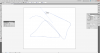
    What am I doing wrong-no-text.png

    As soon as I have incorporated text
    What am I doing wrong-text.png

  2. #2
    Forum Mod
    Join Date
    Jun 2011
    Location
    Uk
    Posts
    5,598
    Thanks
    85
    Thanked 449 Times in 424 Posts

    Re: What am I doing wrong

    If it helps I am following these steps in this tutorial
    Create Super Glossy 3D Type | Psdtuts+

  3. #3
    Forum Mod
    Join Date
    Jun 2011
    Location
    Uk
    Posts
    5,598
    Thanks
    85
    Thanked 449 Times in 424 Posts

    Re: What am I doing wrong

    Ok I have fixed it there was a box at the bottom of the tool bar that I had changed somehow.

  4. #4
    Guru
    Join Date
    Apr 2011
    Location
    born in U.S.S.R.
    Posts
    1,742
    Thanks
    36
    Thanked 120 Times in 112 Posts

    Re: What am I doing wrong

    Seems that i'm too late with that and you managed it yourself.
    You added fill color.
    Rather than love, than money, than fame, give me truth. © Henry David Thoreau

  5. #5
    Forum Mod
    Join Date
    Jun 2011
    Location
    Uk
    Posts
    5,598
    Thanks
    85
    Thanked 449 Times in 424 Posts

    Re: What am I doing wrong

    Yeah you guessed it I am trying to learn Illustrator because you can make things in there easier than in cinema 4d and then export paths into there so now trying to recreate the transformes title animation using illustrator, cinema 4d and after effects.

  6. #6
    Guru
    Join Date
    Apr 2011
    Location
    born in U.S.S.R.
    Posts
    1,742
    Thanks
    36
    Thanked 120 Times in 112 Posts

    Re: What am I doing wrong

    Yeah, i took quick look at that tutorial. Good one but long one too. Author is so patient man/woman
    Rather than love, than money, than fame, give me truth. © Henry David Thoreau

  7. #7
    Senior Member
    Join Date
    Oct 2011
    Location
    Belgium
    Posts
    119
    Thanks
    10
    Thanked 4 Times in 4 Posts
    Speaking of cinema 4D anyone uses Bryce with Daz3d? I just download it in fact but I am missing time. I want to learn Indesign as first priority:-/ too much to learn, too little time :-/
    I am perfectly imperfect, that makes me unique !
    Nat

  8. #8
    Junior Member
    Join Date
    Oct 2011
    Posts
    6
    Thanks
    1
    Thanked 0 Times in 0 Posts

    Re: What am I doing wrong

    Let me know if you get stuck with InDesign, I used to use it quite a lot for work so have some experience with it. Not saying that I will definitely be able to help, but I might.

  9. #9
    Guru
    Join Date
    Jul 2011
    Location
    San Diego, CA
    Posts
    593
    Thanks
    9
    Thanked 25 Times in 25 Posts

    Re: What am I doing wrong

    Quote Originally Posted by Hoogleman View Post
    OK I am really wanting to get into using Adobe Illustrator and never really used the pen tool before in Illustrator. However I am trying what appears to be a basic tutorial that uses a stroke from pen tool under text. However when I am using pen tool in a new document it works as expected but as soon as I have typed some text and then go to use the pen tool it is creating weird shapes and filling in my path. I am looking for usual icons you get in photoshop and clicking what I think is right but it is failing.

    Picture before text is used
    Attachment 9416

    As soon as I have incorporated text
    Attachment 9417

    Yup. Looks like the fill, and not stroke, was set to black. I do that all the time when I start using the pen tool in Illustrator.


Tags for this Thread

Posting Permissions

  • You may not post new threads
  • You may not post replies
  • You may not post attachments
  • You may not edit your posts
Powered by vBulletin® Version 4.1.9
Copyright © 2012 vBulletin Solutions, Inc. All rights reserved.
Content Relevant URLs by vBSEO 3.6.0
Copyright 2011 Photoshop Gurus Forum. All rights reserved.
All times are GMT -5. The time now is 04:44 PM.
vBulletin Skins