-
Forum Mod
just a swan with some editing
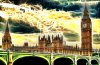
quite like these pics same pic but each 1 different
-
-
Junior Member
Re: just a swan with some editing
Especially love #3, which looks like a stylized painting from a children's picture book!
Debbie
-
-
Forum Mod
Re: just a swan with some editing
yeah looks a lot better in full size but I had to go to the forums size but thanks anyway
-
-
Guru
Re: just a swan with some editing
Well Hoogle, I think you're up for making a tutorial on that no 3 effect ..
-
-
Forum Mod
Re: just a swan with some editing
yeah its simple tutorial for all 3
pic 1 original taken with my Nikon DSLR D5000 with 55mm - 300 telephoto lense
pic 2 duplicate the image top layer run through silver effects 2 pro so you get a silver black and white look Apply a layer mask and paint back in orange beak
pic 3 google redfield fractalious plugin go to site download it load up the filter and play with sliders and different options this 1 is under neon glow
-
-
Guru
Re: just a swan with some editing
So, you've also got that D5000. Me too and I really like it ! 
Pic 3 - ok, that seems simple enough ... lol...
-
-
Re: just a swan with some editing
the design on the beak is so cool...the 3rd pic makes it look like fire
-
-
Forum Mod
Re: just a swan with some editing
It is an amazing plugin called fraqctalious I am new to it but addicted the only think is I only use the 1 setting of neon glow lol but I love the effect
here it is in a more subtle way

and here is an in your face use of it
-
Tags for this Thread
Posting Permissions
- You may not post new threads
- You may not post replies
- You may not post attachments
- You may not edit your posts
Forum Rules
Powered by
vBulletin® Version 4.1.9
Copyright © 2012 vBulletin Solutions, Inc. All rights reserved.
Content Relevant URLs by
vBSEO 3.6.0
Copyright 2011 Photoshop Gurus Forum. All rights reserved.