7Likes
-
Member
-
-
Beast RARRR!
Re: Damaged black&white photo
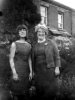
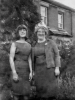
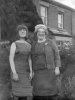
Play with levels and get some contrast back into it. The final image you have posted almost looks like it has been cartooned somehow, I am assuming some noise removal is to blame for that. Great restore though, try and pull some contrast back into now. Also maybe have a relook at the ladies nose on the right, kinda looks a little blocky.
Great work so far though
-
-
Queen Bee
Re: Damaged black&white photo
I agree. For the most part, a fine effort and result.
If these are people you know and you have a photo of the lady with the bad right side of her face, use that to help you rebuild her nose and her eye; probably the cheekbone too. It's the nose and eye that stand out immediately.
The bottom of the photo needs creative imagination to pull into shape as the original doesn't give you much. The increased contrast/levels will help you see the detail. Also the dress, especially on the right has an ill-defined border. One thing you can try is making a layer above and adding some of your own shadow lines. The contrast will help there too of course.
Keep up the good work.
BTW, to get rid of extra attachments, which happen once you've uploaded an image and re-upload just deleting on simple edit, go to edit, then down at the bottom choose advanced. Scroll down till you see manage attachments. It will show you all your recent images and the 3 for this post will be in the lower window. Choose the picture to delete, click the upper right hand corner (checkbox or "X" I can't remember) and delete. Then just X out the whole window and save your edit.
-
-
Beast RARRR!
Re: Damaged black&white photo
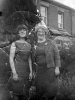
Had a quick play, hope you don't mind. Not perfect by a long way but wanted to show how the lady on the left face could look better. Only spent about 20 minutes on it so as above, could be better, lots of light bits and the image is blotchy but hopefully you can see what I mean by the face:

I used the dodge and burn tool to draw her features back in so don't be afraid to let lose with those tools in Ps either.
-
-
Queen Bee
Re: Damaged black&white photo
And if you are concerned, you can do it nondestructively. Make a layer above, fill it with 50% grey, set the blend mode to overlay or soft light (whichever looks better for the particular photo) and use the dodge and burn tools on that layer.
-
-
Forum Moderator
Re: Damaged black&white photo
This is one of my favourite things to do in Photoshop, i like to just spend lazy sundays doing stuff like this if i have nothing else to do.
Well done and keep it up mate.
-
-
Member
Re: Damaged black&white photo
Everyone thanks for the tips and advice!
Hopefully my next b&w restauration gives a better result..
Thanks again all

“If you can imagine something, you can probably create it in Photoshop.”
-
-
Forum Moderator
Re: Damaged black&white photo
I've personally never tried to restore old and damaged photo's....
But it looks like you have done a mighty fine job.
Well done.
-
-
Member
Re: Damaged black&white photo
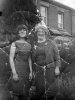
Did a final effort to improve the restored photo;

- Restored right side of dress (left woman)
- Created right leg for left woman
- Added shadow overall
- Added highlights overall
- Restored right eye of right woman
- Decreased nose-size of right woman
- Restored nose of left woman
- Created smile for left woman
- Tried to increase contrast
- Additional small actions

“If you can imagine something, you can probably create it in Photoshop.”
-
-
Queen Bee
Re: Damaged black&white photo
Lots of work. I admire your intrepid spirit. Good work ethic, huh!
-
The Following User Says Thank You to ibclare For This Useful Post:
Posting Permissions
- You may not post new threads
- You may not post replies
- You may not post attachments
- You may not edit your posts
Forum Rules
Powered by
vBulletin® Version 4.1.9
Copyright © 2013 vBulletin Solutions, Inc. All rights reserved.
Content Relevant URLs by
vBSEO 3.6.0
Copyright 2011 Photoshop Gurus Forum. All rights reserved.
All times are GMT -5. The time now is 04:34 PM.