
1Likes
-
1
Post By chrisix
-
How can I do this layered view
ı am new at photoshop, and I wanna create a view like this.
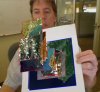
How can I this layered map view in photoshop.
-
-
Guru
Re: How can I do this layered view
Okay, simply put, you use layers in photoshop itself.
You create a new layer (shift+ctrl+n) and place a piece of map on that,
press ctrl+t and change the size to your liking, and position and rotation
then go edit>transform>perspective to make it look like its tilted sideways like that.
To create the edges, hold ctrl then click on the layer of the cut out pieces of map in the layer window on the right.
that selects the outline of the layer, then do edit>stroke
-
Posting Permissions
- You may not post new threads
- You may not post replies
- You may not post attachments
- You may not edit your posts
Forum Rules
Powered by
vBulletin® Version 4.1.9
Copyright © 2013 vBulletin Solutions, Inc. All rights reserved.
Content Relevant URLs by
vBSEO 3.6.0
Copyright 2011 Photoshop Gurus Forum. All rights reserved.
All times are GMT -5. The time now is 04:28 AM.