
Got a short one here, but that doesnt mean its not a sweet one, wait, i guess the saying goes, short and sweet!
Got a short and sweet one here folks.

This is a quick and easy process to soften the skin. It works so well you can create an action of the steps and batch process a folder full of images with great results!
Step 1:
Command+J (control+J on PC) to duplicate the layer
Step 2:
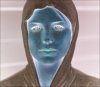
Command+I (Control+I on PC) to invert the layer
Step 3:
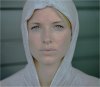
Add a highpass filter to the layer, Go to Filter/Other/Highpass, and use something around 5, hit ok and set the blend mode for the layer to "overlay". Looks like crap? Not to worry.
Ste 4:
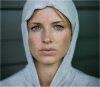
Add a Guasian Blur, Filter/Blur/Guasian Blur, set this to half of what the highpass was set to, in this case around 2.5
Step 5:
Now if you would like you can add a layer mask and paint back in some of the original image like the eyes and lips, but not manditory.
Got a short and sweet one here folks.
This is a quick and easy process to soften the skin. It works so well you can create an action of the steps and batch process a folder full of images with great results!
Step 1:
Command+J (control+J on PC) to duplicate the layer
Step 2:
Command+I (Control+I on PC) to invert the layer
Step 3:
Add a highpass filter to the layer, Go to Filter/Other/Highpass, and use something around 5, hit ok and set the blend mode for the layer to "overlay". Looks like crap? Not to worry.
Ste 4:
Add a Guasian Blur, Filter/Blur/Guasian Blur, set this to half of what the highpass was set to, in this case around 2.5
Step 5:
Now if you would like you can add a layer mask and paint back in some of the original image like the eyes and lips, but not manditory.


