researchdude
Member
- Messages
- 6
- Likes
- 0
Hello,
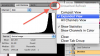
For a research project, I am calculating the area of the cytosol of a cell by finding the total cell area and subtracting the total nuclear area. I have been using the lasso tool to select the boundaries and then the histogram to measure the total pixels in that selection area. Proportionately, the nuclear pixel area should always be smaller than the total cell area since the nucleus is inside that cell. Most of my measurements have been accurate, but I started to run into the problem in which occasionally the nuclear pixel area is larger the total cell area. This does not make sense, which means that Pixel # that the histogram records must not actually be counting every pixel. I have tried to do some reading online and it sounds like the histogram is made based on different color intensities. If that were the case, that histogram pixel count is not the total area of the selection but rather only the pixel count that is being used to calculate the histogram.
I have tried changing the Channels from grayscale to RGB, etc. to see if that might use more of the pixels but there is no difference. Can you someone please explain the difference in these measurements and how can I make sure that the histogram counts every pixel?
Also, once I have that issue figured out, to convert my pixel count to a cell area, do I use the equation A=P/s^2?
A=real cell area
P=pixel count
S=linear pixel/cm. I have a bar scale from the microscope on the bottom of each image, thus I can accurately find this variable. I would have to square it since I need the area.
Does that look correct?
Thanks!
For a research project, I am calculating the area of the cytosol of a cell by finding the total cell area and subtracting the total nuclear area. I have been using the lasso tool to select the boundaries and then the histogram to measure the total pixels in that selection area. Proportionately, the nuclear pixel area should always be smaller than the total cell area since the nucleus is inside that cell. Most of my measurements have been accurate, but I started to run into the problem in which occasionally the nuclear pixel area is larger the total cell area. This does not make sense, which means that Pixel # that the histogram records must not actually be counting every pixel. I have tried to do some reading online and it sounds like the histogram is made based on different color intensities. If that were the case, that histogram pixel count is not the total area of the selection but rather only the pixel count that is being used to calculate the histogram.
I have tried changing the Channels from grayscale to RGB, etc. to see if that might use more of the pixels but there is no difference. Can you someone please explain the difference in these measurements and how can I make sure that the histogram counts every pixel?
Also, once I have that issue figured out, to convert my pixel count to a cell area, do I use the equation A=P/s^2?
A=real cell area
P=pixel count
S=linear pixel/cm. I have a bar scale from the microscope on the bottom of each image, thus I can accurately find this variable. I would have to square it since I need the area.
Does that look correct?
Thanks!


 From the pixel count of the histogram, I should be able to convert it to micrometers using that pixel/micrometer conversion. I just want to make sure the pixel units cancel out correctly. That's what I am asking.