+ Reply to Thread
Page 2 of 3 FirstFirst 123 LastLast
Results 11 to 20 of 27
  1. #11
    Guru
    Join Date
    Apr 2011
    Location
    born in U.S.S.R.
    Posts
    1,742
    Thanks
    36
    Thanked 120 Times in 112 Posts

    Re: Can you help explain how to achieve this effect?

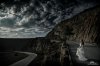
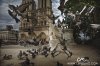
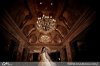
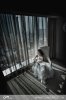
    Looks like almost pure HDR.
    Check that HDR Tutorial | High Dynamic Range Tutorial or that HDR Tutorial: How to create ‘High Dynamic Range’ images using Photomatix | Little Time Machine or both.

    P.S. First from google search "hdr tutorial".
    Rather than love, than money, than fame, give me truth. © Henry David Thoreau

  2. #12
    Senior Member
    Join Date
    Oct 2011
    Location
    UK
    Posts
    105
    Thanks
    1
    Thanked 7 Times in 7 Posts

    Re: Can you help explain how to achieve this effect?

    If you're a photographer then you're better of leaning how to take HRD pictures on your camera since doing it in photoshop is just fake HDR. It's not too hard, all you have to do it take 3 photos with varying exposure's. I think it -2EV, 0EV and +2EV I did a bit on it in university last year

  3. #13
    Forum Mod
    Join Date
    Jun 2011
    Location
    Uk
    Posts
    5,600
    Thanks
    85
    Thanked 449 Times in 424 Posts

    Re: Can you help explain how to achieve this effect?

    Have not read through all the comments but this has replacement parts in images but the jist of it is to look at HDR photography or cheat and use HDR toning and learn about split toning. Some of them are just sepia but lowered exposure on a duplicate layer then a layer mask applied to paint back in the original models so they are of normal colour.

  4. #14
    Forum Mod
    Join Date
    Jun 2011
    Location
    Uk
    Posts
    5,600
    Thanks
    85
    Thanked 449 Times in 424 Posts

    Re: Can you help explain how to achieve this effect?

    Oh and yes I think it is a good idea to learn HDR photography to understand the principal but then it is so easy to fake you can use toning or you can open up an image and adjust the exposure 3 + times either by 1 stop or 2 and then merge the 3+ together. As you are a photographer I am assuming your using a DSLR which you will have a function called auto bracket some cameras require you to put your shutter release into burst mode but as you take 1 picture it will also take 2 different pictures adjusting the exposure for you. However most DSLRs will limit you to either 3 frames or 5 frames per bracket. But you rarely need anymore than that. I believe lynda.com do a good course on HDR Photography and processing in photoshop. look for a filter called HDR Effex pro very good filter.

  5. #15
    Guru
    Join Date
    Aug 2011
    Location
    Sweden
    Posts
    559
    Thanks
    28
    Thanked 32 Times in 32 Posts

    Re: Can you help explain how to achieve this effect?

    BTC - 1D9hQP5hgGRRtYzsPd1pjA4Mfu6irodRip
    PGP - 0x13C873D5

  6. #16
    ASC
    ASC is offline
    Member
    Join Date
    Feb 2011
    Posts
    42
    Thanks
    0
    Thanked 0 Times in 0 Posts

    Re: Can you help explain how to achieve this effect?

    Hey guys thank you all for your feedback/comments.

    @Boomawoom, they might be come brush work using burn/dodge perhaps, or I'm guessing he creates the HDR image with a plug-in within Photoshop and masks out the couple/model so it doesn't affect them. Also I have a Canon 5D Mark II, and I know for a good HDR image you new 3-5 images of different stops as you mentioned. However in CM's photography this isn't always the case.

    For example in the first image I posted the bride has thrown her veil so there's abit of motion happening in the picture. This obv can't be taken with various stops (due to shutter release etc, 'capturing the moment'). So I'm guessing his create most of his HDR images with 1 single image?

    What Photoshop plug-in or other software would you guys recommend is best for creating HDR images like the one's I uploaded...?

    Thanks again everyone!

  7. #17
    ASC
    ASC is offline
    Member
    Join Date
    Feb 2011
    Posts
    42
    Thanks
    0
    Thanked 0 Times in 0 Posts

    Re: Can you help explain how to achieve this effect?

    Hey guys,

    Just letting you know creativeLive have a HDR course on over this weekend: Dramatic Post-Production with David Nightingale.

    Google creativeLive and on the website click 'live'. Don't want to post URL just incase i'm not allowed.

    But I will be posting the image I was on about either tomorrow or day after...

  8. #18
    Member
    Join Date
    Feb 2011
    Posts
    35
    Thanks
    21
    Thanked 0 Times in 0 Posts

    Re: Can you help explain how to achieve this effect?

    The above images have high contrast edges, so some sort of edge recognition filter or adjustment was used - High Pass filter and Shadow/Highlight or HDR Toning would be my prime suspects. Probably layer blending option sliders were used to apply just right range of values. I would use architectural shots to play with the above adjustments - as the result you may learn wider range of Photoshop skills then one particular effect. It is very unlikely that one action can do the whole trick for you, so you probably will not be able to avoid plain old layer masking.

  9. #19
    ASC
    ASC is offline
    Member
    Join Date
    Feb 2011
    Posts
    42
    Thanks
    0
    Thanked 0 Times in 0 Posts

    Re: Can you help explain how to achieve this effect?

    Thanks for your comment qwerty123, I actually went out and took some architectural pictures. I will upload it here soon so you guys can give it a shot and show me to. And Ii'll give it a try to. Hopefully someone can get it very similar and share how they achieved it.

  10. #20
    Member
    Join Date
    Oct 2009
    Posts
    64
    Thanks
    0
    Thanked 0 Times in 0 Posts

    Re: Can you help explain how to achieve this effect?

    lol... and I thought I went too dark with my wedding pics xD


Tags for this Thread

Posting Permissions

  • You may not post new threads
  • You may not post replies
  • You may not post attachments
  • You may not edit your posts
Powered by vBulletin® Version 4.1.9
Copyright © 2012 vBulletin Solutions, Inc. All rights reserved.
Content Relevant URLs by vBSEO 3.6.0
Copyright 2011 Photoshop Gurus Forum. All rights reserved.
All times are GMT -5. The time now is 07:24 AM.
vBulletin Skins