1Likes
-
-
-
Guru
Re: Recover a lost Photoshop shortcut (resizing brush size)
Hello! You can find the Decrease and Increase Brush Size options under Edit / Keyboard Shortcuts,
change “Shortcuts For:” to "Tools", then scroll down close to the bottom where it says increase brush size and decrease brush size. There should be a "[" to increase, and a "]" to decrease. Though if you if you click on each one, if you have changed any by accident, it will give you the option to "use default".
If this does not sort the issue out, it may have something to do with your hardware acceleration settings.
Hope this helps!
-
-
Re: Recover a lost Photoshop shortcut (resizing brush size)
Thank you for your answer, but i already knew the keyboard shortcuts that you show me. I really want to have the possibylity do it automatically with the mouse.
Two days ago when I formatted my computer and reinstalled Photoshop CS5, everything worked perfectly, but after turning on the computer the next day it stopped working.
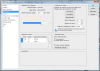
My graphics card is up to date and activated as you can see on this screenshot:
-
-
Guru
Re: Recover a lost Photoshop shortcut (resizing brush size)
Then the only other thing I can suggest:-
If Photoshop is already open on your screen, close out of it. Then hold down Shift+Ctrl+Alt (Win) / Shift+Command+Option (Mac
) on your keyboard and start Photoshop back up. The very first thing you'll see is a dialog box that pops up asking if you want to delete the existing Preferences file.
Click yes.
Restart Photoshop.
If this doesn't work, I'm stumped.
-
-
Re: Recover a lost Photoshop shortcut (resizing brush size)
I already try this option but it don't change anything. :(
It is the ultimate solution ?
-
-
Guru
Re: Recover a lost Photoshop shortcut (resizing brush size)
Then I am out!
Uninstall- Reinstall.
Sorry I couldn't help more.
-
-
Administrator
Re: Recover a lost Photoshop shortcut (resizing brush size)
Make sure Caps Lock is off.
If it's on your brush is working properly but you can't see it.
-
-
Re: Recover a lost Photoshop shortcut (resizing brush size)
When Caps Look is off or on, it not work.
Now i think that the solution of my problem don't exist... i will try to uninstall/réinstall.
Thanks a lot for your help !
-
-
Forum Mod
Re: Recover a lost Photoshop shortcut (resizing brush size)
wilkl the square pracket keys not do what you are requesting or have i just mis read this totally
-
-
Guru
Re: Recover a lost Photoshop shortcut (resizing brush size)
You read it wrong!
The "alt+ right mouse button" doesn't work.
It might work again by now, if it is re-installed.
-
Tags for this Thread
Posting Permissions
- You may not post new threads
- You may not post replies
- You may not post attachments
- You may not edit your posts
Forum Rules
Powered by
vBulletin® Version 4.1.9
Copyright © 2012 vBulletin Solutions, Inc. All rights reserved.
Content Relevant URLs by
vBSEO 3.6.0
Copyright 2011 Photoshop Gurus Forum. All rights reserved.