-
Member
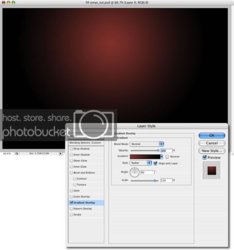
How would you create a gradient like this?
Can someone please give me an idiots guide as to how I would produce a gradient like this?
I'm getting better at this Photoshop lark I assure you all! 
Thanks in advance
Steve
-
-
Re: How would you create a gradient like this?
Just pick two colors, like any other gradient, but in your gradient type, choose Radial, not Linear.
You can set it up in layer styles, or just click "G" to get your gradient tool, and draw a line in your layer.
-
-
Member
Re: How would you create a gradient like this?
Thanks form coming back to me.
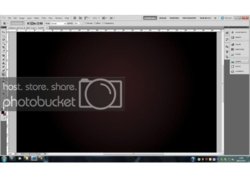
I tried that and the closest I could get was this.

I'm trying to follow the below step-by-step guide to produce an Xmas Card, it asks me to do a gradient overlay which completely ruins what I was doing and puts a linear gradient over my radial one.
How to Create That Last-Minute Holiday e-Card in Photoshop | Psdtuts+
-
-
Re: How would you create a gradient like this?
Try to make a new layer, fill it with black, go to layer styles, and there choose Gradient, set it to Radial, and choose your colors.
Also, your Gradient tool is a bit messed up, choose it, click on box where you can choose colors, and choose your first default black/white style. Currently, your opacity is down.
-
The Following User Says Thank You to Ivan Skoro For This Useful Post:
-
Member
Re: How would you create a gradient like this?
Ah!!
That's what I was doing, I didn't change it from Linear to Radial on the overlay menu.
Thank you so much!
-
-
Re: How would you create a gradient like this?
No problem, glad to help.
-
-
Guru
Re: How would you create a gradient like this?
-
Tags for this Thread
Posting Permissions
- You may not post new threads
- You may not post replies
- You may not post attachments
- You may not edit your posts
Forum Rules
Powered by
vBulletin® Version 4.1.9
Copyright © 2012 vBulletin Solutions, Inc. All rights reserved.
Content Relevant URLs by
vBSEO 3.6.0
Copyright 2011 Photoshop Gurus Forum. All rights reserved.