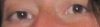
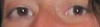
-
Eye Fix
Hey there,
I need your tiny help with Photoshop. I am new here.
How can I fix to make eyes look more symmetrical? For example, one eye is smaller or bigger than the other. Can you help me to show me how to fix it?
Thanks so much and your advice would be gladly appreciated.
-
-
Forum Mod
Re: Eye Fix
depending how much difference there is you should be able to do the majority of it using the liquify filter I suggest the pucker and bloat tools. 2nd option would be puppet warp if you have cs5 but slightly harder to use.
-
-
Re: Eye Fix
i have never tried with these features as you suggested. do you have a sample step by step how to do that? thanks hoogleman.
-
-
Forum Mod
Re: Eye Fix
go to filter > liquify use the square brackets keys to size your brush to larger than the eye select the 4th icon down on the left hand side hover your mouse over the eye and left click it several times if that makes the size go in the wrong direction hold down the alt key and press again and again
-
-
Re: Eye Fix
i have tried and i didn't like the result. how about i show you the sample what it looks like?
-
-
Power User
-
-
Forum Mod
Re: Eye Fix
Or upload the original image and someone will tell you the best way to fix it
-
-
Re: Eye Fix
ok here. thanks.
-
-
Power User
Re: Eye Fix
Are you going to upload the whole image, or just that strip? Upload the whole image and I will work on it for you.
-
-
Re: Eye Fix
nah, i prefer to do it myself. I want to learn how to do that. Thanks Carson! Will check the sites you provided.
-
Tags for this Thread
Posting Permissions
- You may not post new threads
- You may not post replies
- You may not post attachments
- You may not edit your posts
Forum Rules
Powered by
vBulletin® Version 4.1.9
Copyright © 2012 vBulletin Solutions, Inc. All rights reserved.
Content Relevant URLs by
vBSEO 3.6.0
Copyright 2011 Photoshop Gurus Forum. All rights reserved.