+ Reply to Thread
Page 1 of 2 12 LastLast
Results 1 to 10 of 16
Like Tree5Likes

Thread: Colour Splash...photoshop.

  1. #1
    Junior Member
    Join Date
    Dec 2011
    Posts
    7
    Thanks
    1
    Thanked 0 Times in 0 Posts

    Question Colour Splash...photoshop.

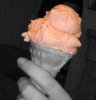
    Not sure if that's the correct term... I want to covert a colour photo into black and white but bring back a certain colour. How many ways are there to do this? Which method is the most professional (as in provides the most professional finished product) I've read about doing it using the paint brush to bring back the colour, also the colour selection tool. The particular image I'm trying to achieve this on is not so simple. The part I want to bring colour back into is a dripping pink icecream, so there are small drips and blobs, often with fair skin colour in the background. Ice cream is dripping down face and hands and body and I want to preserve these details accurately. The bits I need to bring back aren't large blocks of colour so I'm finding it very difficult to achieve a professional look. Can anyone tell me/show me the best way to do this.

    Thanks!

    Sarah

  2. #2
    Forum Mod
    Join Date
    Jun 2011
    Location
    Imperial Beach, CA, US
    Posts
    3,566
    Thanks
    97
    Thanked 218 Times in 217 Posts

    Re: Colour Splash...photoshop.

    Make a layer above the selection where you want the color placed. Fill the selection with the color you want but a deeper version of it. Set the blend mode of that layer to color. Or you can just paint in the area as you like with the blend mode set to color.There are a number of discussions of this on the forum. We do a weekly challenge and that was one of them.

    Challenge 19

    Here's another with an interesting approach:

    Coloring a Black and White image

  3. #3
    Forum Mod
    Join Date
    Jun 2011
    Location
    Imperial Beach, CA, US
    Posts
    3,566
    Thanks
    97
    Thanked 218 Times in 217 Posts

    Re: Colour Splash...photoshop.

    If you're having trouble with this, post the image so someone can help you better. It's about time for me to turn in for the night so if you ask and I don't respond, I'm not ignoring you.

  4. #4
    Member
    Join Date
    Oct 2011
    Location
    Swansea, Wales
    Posts
    92
    Thanks
    4
    Thanked 9 Times in 9 Posts

    Re: Colour Splash...photoshop.

    I may of read this incorrectly so apologies if I have but it sounds like you want to keep the pink ice cream colour from the original and drop everything else out, I would do the following:

    Put a black and White layer mask over the image and then paint on the mask in black to reveal the areas that you would like to stay in colour. I have "borrowed" an image from google to show you what I mean. The beauty of using a mask is that if you make a mistake you can paint it back in white and make sure its nice and accurate. I only spent about 1 min but with a bit of time you could make it more professional looking.

    Colour Splash...photoshop.-pinkicecream.jpgColour Splash...photoshop.-pinkicecreamb-w.jpg

    webwize
    ibclare likes this.

  5. #5
    Silly Trucker
    Join Date
    May 2011
    Location
    Trucking the big roads, dust and all.
    Posts
    4,537
    Thanks
    43
    Thanked 228 Times in 223 Posts

    Re: Colour Splash...photoshop.

    Is this the sort of thing your after?
    ibclare and webwize like this.


  6. #6
    Silly Trucker
    Join Date
    May 2011
    Location
    Trucking the big roads, dust and all.
    Posts
    4,537
    Thanks
    43
    Thanked 228 Times in 223 Posts

    Re: Colour Splash...photoshop.

    Black and white layer with layer mask added, layer below is the original colour one - paint on the layer mask and reveal the colours from original you desire.


  7. #7
    Junior Member
    Join Date
    Dec 2011
    Posts
    7
    Thanks
    1
    Thanked 0 Times in 0 Posts

    Re: Colour Splash...photoshop.

    Thanks for all of your responses! I have been using the mask idea and painting back but it is REALLY hard to get all the little bits of icecream. Also I have used the 'color range' option altering colour range and fuzziness.

    Paul... your example is more what I mean as you have had to bring back the colour to such small crumbs of cake! How did you achieve this?

    Thanks everyone...

  8. #8
    Member
    Join Date
    Oct 2011
    Location
    Swansea, Wales
    Posts
    92
    Thanks
    4
    Thanked 9 Times in 9 Posts

    Re: Colour Splash...photoshop.

    Hi Sarah

    Is there any chance of you putting up the original image, it would be a lot easier to help you out Is the Image you have High quality? If it is then the above methods should be easy enough if only a little time consuming, for what it is worth I would avoid any color selections as it sounds like that isn't going to work for you.

    Cheers

    webwize
    ibclare likes this.

  9. #9
    Junior Member
    Join Date
    Dec 2011
    Posts
    7
    Thanks
    1
    Thanked 0 Times in 0 Posts

    Re: Colour Splash...photoshop.

    just uploading photos now

  10. #10
    Junior Member
    Join Date
    Dec 2011
    Posts
    7
    Thanks
    1
    Thanked 0 Times in 0 Posts

    Re: Colour Splash...photoshop.

    apparently need 5 posts b4 I can send links so heres a post....


Tags for this Thread

Posting Permissions

  • You may not post new threads
  • You may not post replies
  • You may not post attachments
  • You may not edit your posts
Powered by vBulletin® Version 4.1.9
Copyright © 2012 vBulletin Solutions, Inc. All rights reserved.
Content Relevant URLs by vBSEO 3.6.0
Copyright 2011 Photoshop Gurus Forum. All rights reserved.
All times are GMT -5. The time now is 08:36 AM.
vBulletin Skins