+ Reply to Thread
Results 1 to 5 of 5
  1. #1
    Newbie
    Join Date
    Jan 2012
    Posts
    3
    Thanks
    0
    Thanked 0 Times in 0 Posts

    Can Photoshop CS5 remove padding from a tileset/tilesheet?

    I'm a game designer, and I work with a lot of tiles extracted from existing tilesets I find on the web. I used to crop and save each desired tile one at a time until I discovered that I could split the sheet into slices and save them all at once, saving tons of time.

    I ran into a problem, though. Some tilesets are padded, meaning that there is space between each tile on the tileset image. Is there a way for photoshop to either remove the padding and "collapse" the tiles together into an unpadded tileset, or can I somehow configure the slices to accommodate for the padding?

  2. #2
    RdG
    RdG is offline
    Junior Member
    Join Date
    Jan 2012
    Location
    Roma
    Posts
    24
    Thanks
    0
    Thanked 1 Time in 1 Post

    Re: Can Photoshop CS5 remove padding from a tileset/tilesheet?

    could you post an image?
    Free graphic resources on http://www.risorsedigrafica.it

  3. #3
    Newbie
    Join Date
    Jan 2012
    Posts
    3
    Thanks
    0
    Thanked 0 Times in 0 Posts

    Re: Can Photoshop CS5 remove padding from a tileset/tilesheet?

    Quote Originally Posted by RdG View Post
    could you post an image?
    I almost did, and then I thought "Nah, they'll know what I'm talking about."

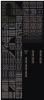
    Okay, take a look at this tileset:
    Can Photoshop CS5 remove padding from a tileset/tilesheet?-snap444_-2012-01-18-09.27.51-.png


    As you can see, there are a few pixels of space between each tile. This is padding. Because of this, I can't simply slice the image and export. The padding would have to be removed first because it offsets each tile from the grid in photoshop.

  4. #4
    RdG
    RdG is offline
    Junior Member
    Join Date
    Jan 2012
    Location
    Roma
    Posts
    24
    Thanks
    0
    Thanked 1 Time in 1 Post

    Re: Can Photoshop CS5 remove padding from a tileset/tilesheet?

    I hope I understand,
    first you use a slice tool, then in the save for web panell choose the slice you want to save. At the end there is a opsion you can save just a slice selected or all slice.
    Use a alt key to choose multiple slices.
    I hope I helped you.
    Can Photoshop CS5 remove padding from a tileset/tilesheet?-2012-01-21_0011.png
    Last edited by RdG; 01-20-2012 at 05:18 PM.
    Free graphic resources on http://www.risorsedigrafica.it

  5. #5
    Newbie
    Join Date
    Jan 2012
    Posts
    3
    Thanks
    0
    Thanked 0 Times in 0 Posts

    Re: Can Photoshop CS5 remove padding from a tileset/tilesheet?

    Thanks, but that doesn't solve the problem. I don't want to have to slice each tile one by one. Please understand that some tilesets have hundreds of tiles on them.

    What I do is I make the whole image into one slice and then right-click and choose "Divide Slice..." to divide it so that each tile is its own slice. The problem though is that since there is padding between each tile on the image itself, the slices don't line up with the tiles.


Posting Permissions

  • You may not post new threads
  • You may not post replies
  • You may not post attachments
  • You may not edit your posts
Powered by vBulletin® Version 4.1.9
Copyright © 2012 vBulletin Solutions, Inc. All rights reserved.
Content Relevant URLs by vBSEO 3.6.0
Copyright 2011 Photoshop Gurus Forum. All rights reserved.
All times are GMT -5. The time now is 09:53 AM.
vBulletin Skins