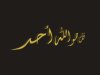
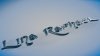
-
Guru
Re: How to work with Arabic based text to make 3D text
Hi Lina_Raphael
Like dv8_fx said that's definitely C4D, check example below.

the text could be use any font you want once you got the text finished, just make and apply a transparent material or use a default glass material inbiult in C4D
Also you can watch a tut here Cinema 4D | Glass text , there's a lot more tuts like this just google it
Cuando soy Bueno, soy muy BUENO
Pero cuando soy malo, soy mucho MEJOR
-
-
Re: How to work with Arabic based text to make 3D text
in photoshop cs5 there is the 3D plugin,all you need is a right font installed in your system
-
-
Forum Mod
Re: How to work with Arabic based text to make 3D text
here is the closest I could get

as far as glass effect I did this a while back and I still have psd if anyone wants it I will make it available for download if required you can then change letters etc and colours
-
-
Power User
Re: How to work with Arabic based text to make 3D text
if you don't have the arabian fonds, go to dafond.com and install them, follow the advice above
Nobody reads this, YOU ARE NOBODY!! :D
-
-
Re: How to work with Arabic based text to make 3D text
assalamu 3alaykom , please can you tell me where did you find these lovly images. do you know any sites where i can get similar images . ramadan kareem to all
-
-
Power User
Re: How to work with Arabic based text to make 3D text
Just a thought but maybe convert the text to a work path, fill it on a layer, then duplicate it. On the duplicated layer, simply change the fill colors? Gonna try this and see what happens.
-
-
Power User
Re: How to work with Arabic based text to make 3D text
Man, I've been messing with this for awhile now and without using the 3D Repousse tool in Ps Extended, I'm hard pressed to find a way to do this. I try not to suggest to use the 3D tools because they require substantial RAM and at least a medium end video card to access and use these tools. That doesn't mean it can't be done. Here's a tutorial I found awhile back, but it is a cross-program project between Illustrator and Photoshop.
3D Textured Text Effect | Text Effects
Here's an example I made with Illustrator and Photoshop based on the tutorial from the link above. In Illustrator, I used the Bevel and Extrude Effects from the Effects menu. The bevel and extrude is located in the 3D sub menu of the effects menu. Then I pasted the text as a Smart Object in Photoshop and applied some additional effects from the Layer Styles menu.
Last edited by ChrisHPZ; 12-28-2011 at 11:17 AM.
-
-
Guru
Re: How to work with Arabic based text to make 3D text
Can't help but feel as though the person who started this thread is gone, and that other people that have posted on this thread must have figured out how to do it, as your the first person in nearly half a year to say anything.
-
Posting Permissions
- You may not post new threads
- You may not post replies
- You may not post attachments
- You may not edit your posts
Forum Rules
Powered by
vBulletin® Version 4.1.9
Copyright © 2012 vBulletin Solutions, Inc. All rights reserved.
Content Relevant URLs by
vBSEO 3.6.0
Copyright 2011 Photoshop Gurus Forum. All rights reserved.