-
How to work with Arabic based text to make 3D text
hi
i want to know how to work with Arabic based text to make 3D like effect in PHOTOSHOP or any other software, a complete tutorial would highly be appreciated. THANKS IN ADVANCE
-
-
Guru
Do you have the Middle Eastern version of Photoshop?
Can you give an example image of what you want to make?
-
-

Originally Posted by
Gaussian
Do you have the Middle Eastern version of Photoshop?
Can you give an example image of what you want to make?
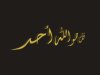
ya i have Photoshop ME version 8 CS and here are some examples.
-
-
Guru
If I had to guess I would say those were made in 3DS Max or other 3D program and not Photoshop.
You could probably create something similar using only Photoshop, but it would not be simple. The first one looks the easiest... the others have more complex 3D lighting effects.
-
-
Guru
I would also start with Calligraphy type fonts...
-
-
Re: How to work with Arabic based text to make 3D text
Just a quick test
-
-
Junior Member
Re: How to work with Arabic based text to make 3D text
the third image that looks like glass effect is nice..!
Is there any guide somewhere on how to do that?
-
-
Forum Mod
Re: How to work with Arabic based text to make 3D text
Hi Lina.
I don't think those were created in Photoshop but in a 3d program.
I've never seen a tute for this around, either. Let's see what others say......
-
-
-
-
Forum Mod
Re: How to work with Arabic based text to make 3D text

Originally Posted by
rasoN
Nice caligraphy

,and nice glossy effect

Yup, very nice..... staring at it just now.... Seems like done in either C4d or Bryce.....
-
Posting Permissions
- You may not post new threads
- You may not post replies
- You may not post attachments
- You may not edit your posts
Forum Rules
Powered by
vBulletin® Version 4.1.9
Copyright © 2012 vBulletin Solutions, Inc. All rights reserved.
Content Relevant URLs by
vBSEO 3.6.0
Copyright 2011 Photoshop Gurus Forum. All rights reserved.