Artistic Tendencies
Member
- Messages
- 5
- Likes
- 0
Hi, I'm new to Photoshop Gurus.com and I was hoping somebody could help me. I've had a look through other threads and haven't found my answer.
I am using Photoshop CS6 and I am trying to merge multiple 3D layers.
This is what I have so far:
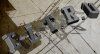
All of the 3D letters/characters are on separate layers. My plan is to merge all the 3D layers into one layer so that I can adjust the light on all the 3D objects at once. My problem is that when I merge the layers I get something like this:
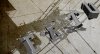
I realise I could adjust the light source on each layer to be in roughly the same position as each other but I would like to be able to adjust just one light source on all my objects at once.
I have searched other sites. Some suggested merging only two 3D layers together at a time. I tried that with similar results. A couple of results I got were just bizarre. I also read that holding down shift while selecting "merge 3D layers" from the menu would keep my 3D objects looking how they do before I merge them. I tried that a few times making sure I was holding down shift long enough etc.
Some extra info that might help.
The scenes I think they're called are all different on all the layers. Like the ground plane on each layer is different.
Is there a way around this?
This is my first time posting on here so if the images in this post stay small I have the links to the two images I'm talking about here:
[I was not allowed to post links to my images here until I have made 5 other posts but can provide them if necessary.]
Thank you in advance for reading this. If there is anymore info I can provide in helping to solve this problem please let me know.
Cheers.
I am using Photoshop CS6 and I am trying to merge multiple 3D layers.
This is what I have so far:
All of the 3D letters/characters are on separate layers. My plan is to merge all the 3D layers into one layer so that I can adjust the light on all the 3D objects at once. My problem is that when I merge the layers I get something like this:
I realise I could adjust the light source on each layer to be in roughly the same position as each other but I would like to be able to adjust just one light source on all my objects at once.
I have searched other sites. Some suggested merging only two 3D layers together at a time. I tried that with similar results. A couple of results I got were just bizarre. I also read that holding down shift while selecting "merge 3D layers" from the menu would keep my 3D objects looking how they do before I merge them. I tried that a few times making sure I was holding down shift long enough etc.
Some extra info that might help.
The scenes I think they're called are all different on all the layers. Like the ground plane on each layer is different.
Is there a way around this?
This is my first time posting on here so if the images in this post stay small I have the links to the two images I'm talking about here:
[I was not allowed to post links to my images here until I have made 5 other posts but can provide them if necessary.]
Thank you in advance for reading this. If there is anymore info I can provide in helping to solve this problem please let me know.
Cheers.

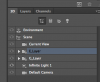
 ) If there isn't a way around it I will just have to merge the 3D layers together and then reposition my 3D objects. It's no biggie I suppose I just wanted to make sure there wasn't an easier way to do it.
 I am going to have to bite the bullet. I'm going to save what I have as a jpg, merge my 3D layers and then use my jpg as a reference while I reposition my objects. Oh the torment :mrgreen: