1Likes
-
Eastiest Photoshop 3D question of all time
The Problem:
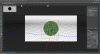
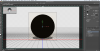
3d view shows black object, not the mesh or material applied to it.
Steps:
#1 Create layer and place a green 100x100 color square on it (for testing)
#2) Select 3D> New Mesh From Layer> Mesh Preset> Sphere
Result:
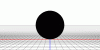
Photoshop sends me to the 3D view but the sphere is black in both camera views. How do I view the sphere with the green color square on it? I can't properly rotate the object or camera without being able to see what I'm really working on.
Software:
Photoshop CS6 - Version 13.1.1 x64
Thanks a billion in advance!!! There has to be an easy solution but I can't figure it out.
-
-
Re: Eastiest Photoshop 3D question of all time
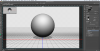
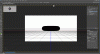
For reference this is what I see in PS.

Thanks!
-
-
Guru
Re: Eastiest Photoshop 3D question of all time
Possible solution,
1. Create new transparent layer.
2. Go to 3D > New Mesh from Layer > Mesh Preset > Select Sphere
3. Go from 3D panel to Layers Panel
4. Double click Sphere Material default texture. A new pallet will open.
5. Select a color (green) and fill the entire pallet with that color.
6. Click the X and save when prompted.
You should have a green sphere.
Last edited by IamSam; 01-01-2013 at 07:35 PM.
-
The Following User Says Thank You to IamSam For This Useful Post:
-
Re: Eastiest Photoshop 3D question of all time

Thanks IamSam. Unfortunately I get the same result. The small sphere in the properties window turns green but not the sphere in the camera view. Still pure black.
-
-
Guru
Re: Eastiest Photoshop 3D question of all time
Ok droid,
Make sure you have the move tool selected. Do the first 2 steps I listed in my previous post. When you have your result, then do a screen capture of your whole Ps interface. Highlight your 3D panel "scene".
Like this.

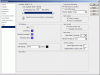
Also include a screenshot of your 3D preferences.
Last edited by IamSam; 01-02-2013 at 12:27 AM.
-
The Following User Says Thank You to IamSam For This Useful Post:
-
Re: Eastiest Photoshop 3D question of all time
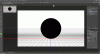
Thanks IamSam!
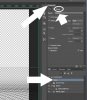
Here are the shots.

-
-
Guru
Re: Eastiest Photoshop 3D question of all time
Can you show me the properties while you have "scene" highlighted?
-
The Following User Says Thank You to IamSam For This Useful Post:
-
Re: Eastiest Photoshop 3D question of all time
Sure thing!
-
-
Re: Eastiest Photoshop 3D question of all time
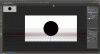
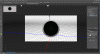
BTW here is a donut example. It's 3d, I can rotate it, move the camera, etc. etc. But it's pure black with no detail.
-
-
Re: Eastiest Photoshop 3D question of all time
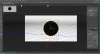
One of my friends thought maybe I didn't have a light source. That was a good idea but no luck. Here is the light source with the handle.
-
Posting Permissions
- You may not post new threads
- You may not post replies
- You may not post attachments
- You may not edit your posts
Forum Rules
Powered by
vBulletin® Version 4.1.9
Copyright © 2013 vBulletin Solutions, Inc. All rights reserved.
Content Relevant URLs by
vBSEO 3.6.0
Copyright 2011 Photoshop Gurus Forum. All rights reserved.
All times are GMT -5. The time now is 04:26 AM.