
Photoshop Gurus Forum
Welcome to Photoshop Gurus forum. Register a free account today to become a member! It's completely free. Once signed in, you'll enjoy an ad-free experience and be able to participate on this site by adding your own topics and posts, as well as connect with other members through your own private inbox!
You are using an out of date browser. It may not display this or other websites correctly.
You should upgrade or use an alternative browser.
You should upgrade or use an alternative browser.
This effect is it possible?
- Thread starter cas
- Start date

Dataflow
Power User
- Messages
- 484
- Likes
- 195
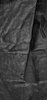
i made the following image using the "Plastic Wrap" filter.
i just duplicated the original added the filter to that duplicate change the blend mode to multiply.
brighten the original and duplicate to how you want them then merge layers and "desaturate" it.
i just duplicated the original added the filter to that duplicate change the blend mode to multiply.
brighten the original and duplicate to how you want them then merge layers and "desaturate" it.
Thanx for the quick reply 
So the plastic wrap filter doesnt have so clear output.. (i tried a lot) Something with displacement map and textures. Is it possible this person has used a rock surface map or smth like that.? or just channels.? and when you say channels can you give me one example.? The mountainous effect i can archieve but this shadow lines that giving the depth i dont know how to do.
So the plastic wrap filter doesnt have so clear output.. (i tried a lot) Something with displacement map and textures. Is it possible this person has used a rock surface map or smth like that.? or just channels.? and when you say channels can you give me one example.? The mountainous effect i can archieve but this shadow lines that giving the depth i dont know how to do.


ibclare
Queen Bee
- Messages
- 9,890
- Likes
- 4,028
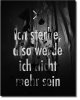
Here is my take, everyone above has great ideas on how to reproduce this in Photoshop. Here's what I see. The backdrop is a photo, not a created-in-PS image. Tioga is right. It does use displacement map filter as well as some other created effects IMO.
The displacement map is made from the backdrop which may have been treated with layer adjustments to increase the contrast and add darkness and highlights.
When you for example make a levels adjustment, you will get a layer mask on the adj (assuming you make it a layer adj). Now you can take a medium soft brush at low opacity, color black, and paint on this mask. This will remove the adj by bits at a time. So let's say you use levels to darken the image. As you paint you put the lightness back and add to the contrast of the highlights such as you see on the folds.
Once you have the backdrop as you want it, right click on layer, select duplicate. On the window popup, select new from the dropdown. Title it, flatten it, save as a MAP so you can identify it.
Make your blood drops where you want them Now go to filter>distort>displace and use the default settings to begin with. Just follow PS's guide and open your MAP psd.
The text is just placed where you want it. No displace filter. I think there is a layer mask added and a very soft, low opacity, black brush used to reveal parts of the image below.
That's my take.
The displacement map is made from the backdrop which may have been treated with layer adjustments to increase the contrast and add darkness and highlights.
When you for example make a levels adjustment, you will get a layer mask on the adj (assuming you make it a layer adj). Now you can take a medium soft brush at low opacity, color black, and paint on this mask. This will remove the adj by bits at a time. So let's say you use levels to darken the image. As you paint you put the lightness back and add to the contrast of the highlights such as you see on the folds.
Once you have the backdrop as you want it, right click on layer, select duplicate. On the window popup, select new from the dropdown. Title it, flatten it, save as a MAP so you can identify it.
Make your blood drops where you want them Now go to filter>distort>displace and use the default settings to begin with. Just follow PS's guide and open your MAP psd.
The text is just placed where you want it. No displace filter. I think there is a layer mask added and a very soft, low opacity, black brush used to reveal parts of the image below.
That's my take.
Thanx very much for the direction that you gave me. I really approciate this. So for the back image I scanned an empty A4 paper with a little distortion in some areas to achieve these folds. Just for you to know for further experiments
And now i am making these kind of adjustments with light as Tioga and ibclare. So lets see.
Thanx again for your time..It is really helpful this forum!
And now i am making these kind of adjustments with light as Tioga and ibclare. So lets see.
Thanx again for your time..It is really helpful this forum!
DomQuichotte
Member
- Messages
- 15
- Likes
- 5
It's not that difficult, acutally! Layer maks, a brush – that's it.