+ Reply to Thread
Page 2 of 3 FirstFirst 123 LastLast
Results 11 to 20 of 22
  1. #11
    Member
    Join Date
    May 2009
    Posts
    30
    Thanks
    0
    Thanked 0 Times in 0 Posts
    You know what your problem is? You got yourself an illegal copy of Photoshop, you have no clue how it works, because you refuse to finish any book or course, then you try to make Photoshop work like any previous image editor, you refuse to listen to all comments or suggestions and then you claim that Photoshop (the #1 image editor by far) can't do what others can.... you're funny

    Edit:

    Quote Originally Posted by Torvin View Post
    @rangaraj1987: i have no idea what are you talking about
    Uh....cough, cough,....rangaraj1987 is a spambot... no wonder why he doesn't make any sense...doh!
    Last edited by sbdb; 05-14-2009 at 06:21 AM.

  2. #12
    Junior Member
    Join Date
    May 2009
    Posts
    13
    Thanks
    0
    Thanked 0 Times in 0 Posts
    Quote Originally Posted by sbdb View Post
    You know what your problem is? You got yourself an illegal copy of Photoshop, you have no clue how it works, because you refuse to finish any book or course, then you try to make Photoshop work like any previous image editor, you refuse to listen to all comments or suggestions and then you claim that Photoshop (the #1 image editor by far) can't do what others can.... you're funny
    oh, c'mon. i'm working with photoshop since version 3
    where am i refuse to listen? that Nomission guy (the only one who tried to help me) uses the same trick that i do. and you haven't offered anything useful. i'm wondering if you bothered to read my question at all

    Quote Originally Posted by sbdb View Post
    Uh....cough, cough,....rangaraj1987 is a spambot... no wonder why he doesn't make any sense...doh!
    oh... lol!

  3. #13
    Member
    Join Date
    May 2009
    Posts
    30
    Thanks
    0
    Thanked 0 Times in 0 Posts
    Quote Originally Posted by Torvin View Post
    oh, c'mon. i'm working with photoshop since version 3
    Sure... I guess that's why you’re still asking basic questions in newbie forums 15 years and 8 Photoshop releases later...

    Quote Originally Posted by Torvin View Post
    wondering if you bothered to read my question at all
    I did read your question.

    Quote Originally Posted by Torvin View Post
    you haven't offered anything useful
    That’s because you don’t want to learn how Photoshop works, you just want it to imitate other software and by doing that you will never learn the Adobe way (and my way).

  4. #14
    Junior Member
    Join Date
    May 2009
    Posts
    13
    Thanks
    0
    Thanked 0 Times in 0 Posts
    Quote Originally Posted by sbdb View Post
    Sure... I guess that's why you’re still asking basic questions in newbie forums 15 years and 8 Photoshop releases later...
    i don't really care whether you believe or not

    Quote Originally Posted by sbdb View Post
    That’s because you don’t want to learn how Photoshop works, you just want it to imitate other software and by doing that you will never learn the Adobe way (and my way).
    ok, see your ultimate urge to offend me. but you wont succeed in that

    instead i'll repeat my question personally for you:
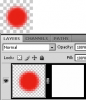
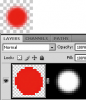
    let's say i have a png, and all pixels of it is 50% transparent. i haven't created it. i downloaded it from the internet. now i want that pixels become 25% transparent (75% opaque). how would you, dear sbdb, a guru of photoshop, do that?

  5. #15
    Junior Member
    Join Date
    May 2009
    Posts
    16
    Thanks
    0
    Thanked 0 Times in 0 Posts
    I don't know. I'm glad that everything runs really fine now and I'm afraid that things may break when I play around. I don't want to reinstall the whole thing because I can't figure out why Compiz won't work again (I remember those experiments with Compiz last summer, very exciting but a pain because I had to reinstall everything a couple of times).

  6. #16
    Newbie
    Join Date
    Aug 2009
    Posts
    2
    Thanks
    0
    Thanked 0 Times in 0 Posts
    Quote Originally Posted by Torvin View Post
    ok, see your ultimate urge to offend me. but you wont succeed in that

    instead i'll repeat my question personally for you:
    let's say i have a png, and all pixels of it is 50% transparent. i haven't created it. i downloaded it from the internet. now i want that pixels become 25% transparent (75% opaque). how would you, dear sbdb, a guru of photoshop, do that?
    right. i just googled through to here, with this discussion being the only page adressing my issue (same as Torvin's, though I'd actually prefer to be able to select those semi-transparent pictures and then do whatever i want with them).

    considering that, i rather doubt this is a noob issue and has anything to do with stolen PS or what other nonsense this SBDB dork had to offer as a reply.

  7. #17
    Junior Member
    Join Date
    May 2009
    Posts
    13
    Thanks
    0
    Thanked 0 Times in 0 Posts
    thanks, Rzlq! maybe someday i'll write a small plugin that will convert a semi-transparent layer to a opaque one with a mask. but i'm too busy right now
    btw, what do you mean by 'selecting' it? if you need to select layer pixels, you might just ctrl-click the layer in the layer palette. or I didn't get your question?
    Last edited by Torvin; 08-13-2009 at 08:31 AM.

  8. #18
    Newbie
    Join Date
    Aug 2009
    Posts
    2
    Thanks
    0
    Thanked 0 Times in 0 Posts
    hey, that'd be cool ;]

    as for your question, i'd like to be able to select just the semi-transparent pixels, without the opaque ones. maybe even say like "select pixels with transparency<75" (and subsequently perhaps a simple way to change that transparency).

  9. #19
    Junior Member
    Join Date
    May 2009
    Posts
    13
    Thanks
    0
    Thanked 0 Times in 0 Posts
    ah, i see. you then should switch to the quick mask mode and select pixels you need using 'select by color' command

  10. #20
    Junior Member
    Join Date
    May 2009
    Posts
    13
    Thanks
    0
    Thanked 0 Times in 0 Posts
    ah, stupid me. that won't work. that only works for selection, not for transparent pixels. you're right. you need the same feature i'm looking for :(


Posting Permissions

  • You may not post new threads
  • You may not post replies
  • You may not post attachments
  • You may not edit your posts
Powered by vBulletin® Version 4.1.9
Copyright © 2012 vBulletin Solutions, Inc. All rights reserved.
Content Relevant URLs by vBSEO 3.6.0
Copyright 2011 Photoshop Gurus Forum. All rights reserved.
All times are GMT -5. The time now is 08:49 PM.