
+ Reply to Thread
Results 1 to 3 of 3
  1. #1
    Newbie
    Join Date
    May 2011
    Posts
    2
    Thanks
    1
    Thanked 0 Times in 0 Posts

    Workflow for looping tiles

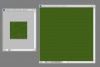
    Workflow for looping tiles-clipboard01.png

    I have CS4 Extended and I'm working on a series of looping 32x32 tiles. I could really use some help with my workflow.

    At present I have two documents. I'll push some pixels around in my 32x32 window, Edit > Define Pattern. Next I grab my 500x500 window, hit Edit > Fill > Pattern to see how it looks tiled. I look for any glaring errors, then I push some pixels around in my 32px document, ad infinitum.

    Currently, identifying the cluster of pixels I plan to break up within the actual 32px document itself takes huge concentration and usually requires me to zoom in on both documents repeatedly until I can find some pixel or other to serve as a marker to indicate where the spot was. At 500% zoom (necessary for pixel work) the pattern looks completely alien, and this pixel hunting thing is a ridiculous time sink. Ideally I could find some way of painting on the open 32x document while seeing my results, tiled, and changing in real time in the opposite window. Suggestions about any part of my workflow would be awesome. Thanks guys.

  2. #2
    Forum Mod
    Join Date
    Mar 2002
    Location
    Here... ?
    Posts
    5,001
    Thanks
    10
    Thanked 191 Times in 189 Posts

    Re: Workflow for looping tiles

    What I can suggest is to use the grid ( View>Show>Grid) .... and to adjust the settings on Guides, Grids & Slice Preference..

    Your tile is 32x32 pixels... set the gridline at 32 pixels ... subdivisions at 1 .....

    The grid will act like road map grid...

    Hope this untested idea of mine works for you.... lol ...

  3. The Following User Says Thank You to dv8_fx For This Useful Post:

    Asfasa (05-04-2011)

  4. #3
    Newbie
    Join Date
    May 2011
    Posts
    2
    Thanks
    1
    Thanked 0 Times in 0 Posts

    Re: Workflow for looping tiles

    Quote Originally Posted by dv8_fx View Post
    What I can suggest is to use the grid ( View>Show>Grid) .... and to adjust the settings on Guides, Grids & Slice Preference..

    Your tile is 32x32 pixels... set the gridline at 32 pixels ... subdivisions at 1 .....

    The grid will act like road map grid...

    Hope this untested idea of mine works for you.... lol ...
    Wasn't sure how much this would actually help, but it really does. That solves at least one issue.

    Thanks!


Tags for this Thread

Posting Permissions

  • You may not post new threads
  • You may not post replies
  • You may not post attachments
  • You may not edit your posts
Powered by vBulletin® Version 4.1.9
Copyright © 2012 vBulletin Solutions, Inc. All rights reserved.
Content Relevant URLs by vBSEO 3.6.0
Copyright 2011 Photoshop Gurus Forum. All rights reserved.
All times are GMT -5. The time now is 12:58 PM.
vBulletin Skins