-
-
-
Senior Member
Re: How to make handdrawn script (font) look like it was done on the computer
yeah a tablet would be a nice option but for example you can draw them with brush, just requires some minute of practice. or write with black tint on a white paper (hard and thick pen is best), scan and select the writing with magic wand tool...
-
-
Forum Mod
Re: How to make handdrawn script (font) look like it was done on the computer
If you get a good black on white, try this quick method that Sir Maximus shared:
Extract Lineart in 8 Simple Steps |
-
The Following User Says Thank You to ibclare For This Useful Post:
-
Re: How to make handdrawn script (font) look like it was done on the computer

Originally Posted by
LRG
yeah a tablet would be a nice option but for example you can draw them with brush, just requires some minute of practice. or write with black tint on a white paper (hard and thick pen is best), scan and select the writing with magic wand tool...
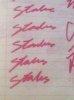
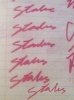
There's no way to to do this with what I've currently got? There's got to be a way these programs can do everything literally lol. Couldn't I just magic want tool/select one of these and go from there?
-
-
Forum Mod
Re: How to make handdrawn script (font) look like it was done on the computer

Originally Posted by
yeaokwali
There's no way to to do this with what I've currently got? There's got to be a way these programs can do everything literally lol. Couldn't I just magic want tool/select one of these and go from there?
Your colors are so close to each other that it would be difficult to find a tolerance that works properly. But you can try it. What's wrong with redoing it black on white and trying the method I listed above? Of course, if you don't have a tablet, you'll have to scan it in. Otherwise it's drawing with a mouse in PS or Illustrator. Either way, that's not so easy.
-
-
Senior Member
Re: How to make handdrawn script (font) look like it was done on the computer

Originally Posted by
yeaokwali
There's no way to to do this with what I've currently got? There's got to be a way these programs can do everything literally lol. Couldn't I just magic want tool/select one of these and go from there?
not impossible but you will have more troubles achieving good results because of the colors.
-
-
Re: How to make handdrawn script (font) look like it was done on the computer
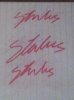
Check this out haha....
now what?
-
-
Forum Mod
Re: How to make handdrawn script (font) look like it was done on the computer
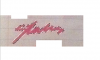
OK, so what does it look like when you clear the background?
-
-
Re: How to make handdrawn script (font) look like it was done on the computer

Originally Posted by
ibclare
OK, so what does it look like when you clear the background?
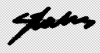
Went all the way through the tutorial came out pretty messy
If I could clean this up I might be on to something
-
-
Power User
Re: How to make handdrawn script (font) look like it was done on the computer
Why don't you write this with the pen tool then stroke it with a brush?
Last edited by Stric9; 08-21-2011 at 08:12 PM.
-
Tags for this Thread
Posting Permissions
- You may not post new threads
- You may not post replies
- You may not post attachments
- You may not edit your posts
Forum Rules
Powered by
vBulletin® Version 4.1.9
Copyright © 2012 vBulletin Solutions, Inc. All rights reserved.
Content Relevant URLs by
vBSEO 3.6.0
Copyright 2011 Photoshop Gurus Forum. All rights reserved.