1Likes
-
Junior Member
Nothing will work
So I just bought my copy of Photoshop. I had been using the trial for the last month. (by the way this is my first semester in school and I have never used Photoshop before. Yes I am that ignorarit to Photoshop.) I am trying to follow tutorial for school working in channels. I open a new background, grab my brush tool, set my pixel size, click on my canvas..... NOTHING HAPPENS!!!!
Can someone please tell me how to fix this because I cant even do my assignment.
Thanks a Ton
Greg
P.S. The background is unlocked.
-
-
Guru
Re: Nothing will work

Originally Posted by
knuckleupz
So I just bought my copy of Photoshop. I had been using the trial for the last month. (by the way this is my first semester in school and I have never used Photoshop before. Yes I am that ignorarit to Photoshop.) I am trying to follow tutorial for school working in channels. I open a new background, grab my brush tool, set my pixel size, click on my canvas..... NOTHING HAPPENS!!!!
Can someone please tell me how to fix this because I cant even do my assignment.
Thanks a Ton
Greg
P.S. The background is unlocked.
What is it you are trying to do?
-
-
Junior Member
Re: Nothing will work
We are working in channels and he is showing me how RGB works I open a blank canvas turn my brush red and just make a big red circle with my brush thats all but it wont even let me do that
-
-
Guru
Re: Nothing will work

Originally Posted by
knuckleupz
We are working in channels and he is showing me how RGB works I open a blank canvas turn my brush red and just make a big red circle with my brush thats all but it wont even let me do that
That sounds strange... try adding a new layer and see if you can paint on that..
-
-
Guru
Re: Nothing will work
Also are you sure that the foreground color is set to red?
-
-
Guru
Re: Nothing will work
Make fullscreen screenshot with tool, layer and chanell panel open and then post it here. We'll have a look at it.
Rather than love, than money, than fame, give me truth. © Henry David Thoreau
-
-
Junior Member
Re: Nothing will work

Originally Posted by
SeniorS
Make fullscreen screenshot with tool, layer and chanell panel open and then post it here. We'll have a look at it.
So I am new to a mac. Cn you tell me how to take a screen shot I know how on a pc but not a mac. Yes my fore ground is set to red background to black I have tried making a new layer made sure background was unlocked all that I', lost I could post a copy of the video but I am sure academy of art wouldn't like that lol sorry.
-
-
Guru
Rather than love, than money, than fame, give me truth. © Henry David Thoreau
-
-
Junior Member
Re: Nothing will work
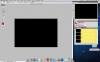
Ok so this first screen shot is with my chanels tab open 
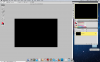
This next one is with the layers channel open. 
All I want to do is paing with my brush and it wont let me.
Please remember I have tried it with the background unlocked it is not working in either way
-
-
Guru
Re: Nothing will work
Now everything is clear.
Here is problem (makerd with red):

Change Mode to Normal and Flow to 100% and you'll be fine.
Rather than love, than money, than fame, give me truth. © Henry David Thoreau
-
The Following User Says Thank You to SeniorS For This Useful Post:
Tags for this Thread
Posting Permissions
- You may not post new threads
- You may not post replies
- You may not post attachments
- You may not edit your posts
Forum Rules
Powered by
vBulletin® Version 4.1.9
Copyright © 2012 vBulletin Solutions, Inc. All rights reserved.
Content Relevant URLs by
vBSEO 3.6.0
Copyright 2011 Photoshop Gurus Forum. All rights reserved.