5Likes
-
1
Post By Stric9
-
1
Post By Stric9
-
1
Post By sima
-
1
Post By Stric9
-
1
Post By sima
-
Junior Member
combining two photos for a chemical engineering project
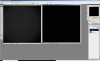
I am a chemical engineer and I am not a photoshop expert. I need to overlay two photos in a way that I can see both photos at the same time in one photo. I have attached the photos. one is (#1) my particles which are very tiny white spots on a gray background and the other one (#2) is a black background with columns of small circles. I want to merge these photos in a way that at the end I'll have a black background with those circles and white spots. all together at one photo and at correct places. the important thing is that I want the circles be as sharp as they are in the original photo, so I cannot change the opacity.
Do think it is possible at all? can u suggest me an easy way for that?
Thanks so much
-
-
Power User
Re: combining two photos for a chemical engineering project
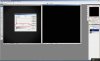
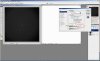
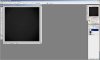
Yes it is possible. The bottom photo the dots are not white they are just not black. Invert this image to get "whiter" dots. After you have layered this on top of the first image then you can use blend if in the blending options dialog box to get something like this. Slide the white slider to the left. Split the handles by using the alt key when you click and drag to get more control.
-
-
Junior Member
Re: combining two photos for a chemical engineering project
Thank you so much for your quick response. I am sorry I am really bad in photoshop. I did the first step actually by clicking CTRL+I to invert and got some dark spots in a white background. but after that I really don't get what I should do. Will you please kindly explain more for me. Like when you say "you have layered" do you mean I should use the move button and drag one photo into another one? if yes I did so and then I started trying blending options - if I am not wrong they are in a drop box which include normal, dissolve and,..., lighten, screen, soft light and ....- I tried all of them but I didn't get the result you got. And I didn't understand your last sentences" "Slide the white slider to the left. Split the handles by using the alt key when you click and drag to get more control."
which one is the white slider?
split which handles? where are they?
I am sorry, I guess my questions are so stupid. I have no experience in photoshop :(
-
-
Silly Trucker
Re: combining two photos for a chemical engineering project
No question is stupid here, we are all learning (great reply Strict9).
-
-
Power User
Re: combining two photos for a chemical engineering project
I will gladly make a step by step tutorial for you tomorrow since today is the Thanksgiving holiday. I am noticing however, that your current status shows banned and I won't "waste" the time if you are unable to read it anyways. Please reply to confirm that you will be able to view this thread.
Thanks Paul and Clare.
I have found in my study of photoshop that most things are possible in Photoshop.....it may require extreme amounts of time, but still possible. This on the otherhand should take 5 min or less if you are familiar with the techniques that I spoke about. But dont take that as in insult and hang around, Sima. Just a year ago this project was out of my reach too.
-
-
Junior Member
Re: combining two photos for a chemical engineering project
Thank you so much. I will definitely come back to read your answer. Happy thanksgiving
-
-
Power User
-
-
Junior Member
Re: combining two photos for a chemical engineering project
Thank you so much. You are such a nice person. I really appreciate your help. I finally got it
-
-
Power User
Re: combining two photos for a chemical engineering project
-
Tags for this Thread
Posting Permissions
- You may not post new threads
- You may not post replies
- You may not post attachments
- You may not edit your posts
Forum Rules
Powered by
vBulletin® Version 4.1.9
Copyright © 2012 vBulletin Solutions, Inc. All rights reserved.
Content Relevant URLs by
vBSEO 3.6.0
Copyright 2011 Photoshop Gurus Forum. All rights reserved.