
+ Reply to Thread
Results 1 to 4 of 4
  1. #1
    Power User
    Join Date
    Feb 2011
    Posts
    249
    Thanks
    1
    Thanked 1 Time in 1 Post

    How to copy this kind of layer styles?

    Hi,

    The last period i found an effect that makes my photos great and i begin with to change from rgb color to lab color then ctrl+m and etc. etc. ... .

    But what took my attention is is that i just can't copy that layer style to another photo which i want to make it exact the same or kind of.

    How can i solve this?

    Here's an image:
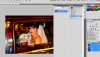
    How to copy this kind of layer styles?-10.jpg

  2. #2
    Guru
    Join Date
    Jul 2009
    Location
    right in front of you
    Posts
    5,906
    Thanks
    23
    Thanked 147 Times in 144 Posts

    Re: How to copy this kind of layer styles?

    right click the layer you want the style from it will automactily been added to your styles
    How to copy this kind of layer styles?-screen-shot-2012-01-03-2.04.35-pm.png

  3. #3
    Junior Member
    Join Date
    Jul 2011
    Posts
    26
    Thanks
    2
    Thanked 1 Time in 1 Post

    Re: How to copy this kind of layer styles?

    First create adjestment layer, this layer will effect all the layer behind it. To use it on singular layer press alt and hover between adjestment layer and your layer, two circles appears click them.

  4. #4
    Member
    Join Date
    Dec 2011
    Posts
    72
    Thanks
    1
    Thanked 6 Times in 6 Posts

    Re: How to copy this kind of layer styles?

    Quote Originally Posted by iDad View Post
    right click the layer you want the style from it will automactily been added to your styles
    The option Copy Layer Style doesn't not copy the layer styles to your styles, it just places it on the clipboard.

    Quote Originally Posted by JustinR View Post
    First create adjestment layer, this layer will effect all the layer behind it. To use it on singular layer press alt and hover between adjestment layer and your layer, two circles appears click them.
    What you're talking about is an adjustment layer, turned into a clipping layer. The original poster however wants to use an existing layer style on a different photo.

    One way to save a layer style is shown in the attachment below (notice the New Style... button in the larger window).
    Another way is selecting your layer that has your layer style attached to it and clicking on the Create new style button at the bottom of your styles palette.
    Attached Thumbnails Attached Thumbnails How to copy this kind of layer styles?-layerstylessave.jpg  

    Last edited by Furio; 01-03-2012 at 06:59 PM.


Tags for this Thread

Posting Permissions

  • You may not post new threads
  • You may not post replies
  • You may not post attachments
  • You may not edit your posts
Powered by vBulletin® Version 4.1.9
Copyright © 2012 vBulletin Solutions, Inc. All rights reserved.
Content Relevant URLs by vBSEO 3.6.0
Copyright 2011 Photoshop Gurus Forum. All rights reserved.
All times are GMT -5. The time now is 02:00 PM.
vBulletin Skins