1Likes
-
1
Post By sparky3659
-
Must be simple but I struggle ...
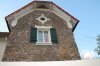
Hello, I would like to simulate the extension of the house below of 60cm (the red arrow on the window is 60cm).It requires the roof to be selected and moved up (same height as the red arrow). The gap must then be filled with the same beige colour. If anybody can help, I am happy to contribute.
Attachment 13380
This is my attempt not very succesfull, how can I get the beige to be more reallistic ?
Attachment 13381
-
-
Member
Re: Must be simple but I struggle ...
Hmmm,
Not sure what you exactly mean by fill it with the beige colour. Ive moved the roof up and added a bit to the round window... let me know what needs to be changed
-
-
Re: Must be simple but I struggle ...
Thanks parky
I intend to actually remove the roof extend the wall of 60 cm and then put a new roof on.
So i would need to move up the roof and fill the gap with same beige colour. The round window stays where it currently is.
Isit clearer?
-
-
Member
Re: Must be simple but I struggle ...
erm, so you mean that when you build the wall up another 60cm, it will be beige wood work, and not brick. In the image ive done, I haven't moved the round window, but Ive moved the roof up the same height as your arrow, and replaced the gap with brick.
-
-
Re: Must be simple but I struggle ...
Yes exactly the build will not be in brick but in concrete painted in beige/cream
-
-
Forum Mod
Re: Must be simple but I struggle ...
Whats the crack here then you have a double posted thread 1 willing to pay for it or are you happy with Sparkey doing it for free here if so I will delete the the freelance thread
-
-
Re: Must be simple but I struggle ...
I will pay if this requires some time work, no issue with this.
If easy 2 min job then maybe no need, i just want not to lose people time.
-
-
Member
Re: Must be simple but I struggle ...
This might take a bit more time than I have at the moment, and Im still very much new to all this and wont be able to pull it off to a good degree, so I suggest you keep it in the pay section, and see if one of the pro's can do it.
Sorry I cant be of any more help
-
Posting Permissions
- You may not post new threads
- You may not post replies
- You may not post attachments
- You may not edit your posts
Forum Rules
Powered by
vBulletin® Version 4.1.9
Copyright © 2012 vBulletin Solutions, Inc. All rights reserved.
Content Relevant URLs by
vBSEO 3.6.0
Copyright 2011 Photoshop Gurus Forum. All rights reserved.