+ Reply to Thread
Page 1 of 2 12 LastLast
Results 1 to 10 of 17
Like Tree6Likes

Thread: beautiful

  1. #1
    Member
    Join Date
    Nov 2011
    Posts
    93
    Thanks
    0
    Thanked 6 Times in 6 Posts

    beautiful

    hi everyone ,

    i tried to do anything for this pic

    beautiful-770px-salvage.jpg

    like this: what do you think ??
    beautiful-sunflowe0.jpg

    sorry , i can't save it like a heart "not a square" ,if you know how , tell me
    beautiful-untitled-1.jpg

    then a tried to make it like a frame " i know there's something wrong "
    beautiful-lsg%5D.jpgbeautiful-.jpg

    that my question , how i can to make it real frame ??
    JustinR likes this.

  2. #2
    Power User
    Join Date
    Dec 2011
    Location
    Netherlands
    Posts
    348
    Thanks
    14
    Thanked 17 Times in 17 Posts

    Re: beautiful

    Making picture frames is not my expertise ;(
    For the picture it self, it could be shrinked a bit by using the "free transform" to make it the same direction with the wall.

  3. #3
    Silly Trucker
    Join Date
    May 2011
    Location
    Trucking the big roads, dust and all.
    Posts
    4,564
    Thanks
    44
    Thanked 228 Times in 223 Posts

    Re: beautiful

    Distort or perspective tools will help, nice idea and attempt.

  4. #4
    Guru
    Join Date
    Jul 2009
    Location
    right in front of you
    Posts
    5,906
    Thanks
    23
    Thanked 147 Times in 144 Posts

    Re: beautiful

    I would romove background between arms and head ...... Just sayin

  5. #5
    Silly Trucker
    Join Date
    May 2011
    Location
    Trucking the big roads, dust and all.
    Posts
    4,564
    Thanks
    44
    Thanked 228 Times in 223 Posts

    Re: beautiful

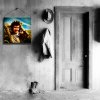
    I used perspective to re shape and mount this.
    webwize likes this.

  6. #6
    Member
    Join Date
    Nov 2011
    Posts
    93
    Thanks
    0
    Thanked 6 Times in 6 Posts

    Re: beautiful

    Quote Originally Posted by Dreamers View Post
    Making picture frames is not my expertise ;(
    For the picture it self, it could be shrinked a bit by using the "free transform" to make it the same direction with the wall.

    thanks , i'll try again ,,

  7. #7
    Member
    Join Date
    Nov 2011
    Posts
    93
    Thanks
    0
    Thanked 6 Times in 6 Posts

    Re: beautiful

    Quote Originally Posted by Paul View Post
    Distort or perspective tools will help, nice idea and attempt.

    tanx 4 UR post

  8. #8
    Member
    Join Date
    Nov 2011
    Posts
    93
    Thanks
    0
    Thanked 6 Times in 6 Posts

    Re: beautiful

    Quote Originally Posted by Paul View Post
    I used perspective to re shape and mount this.
    nice , it's more real than mine

  9. #9
    Silly Trucker
    Join Date
    May 2011
    Location
    Trucking the big roads, dust and all.
    Posts
    4,564
    Thanks
    44
    Thanked 228 Times in 223 Posts

    Re: beautiful

    Just practice and learn your tools and what you can think of you can achieve here in Photoshop...honest.
    sunrise likes this.

  10. #10
    Member
    Join Date
    Nov 2011
    Posts
    93
    Thanks
    0
    Thanked 6 Times in 6 Posts

    Re: beautiful

    yes I know , now I'm better than before. I think ,,

    thnx


Tags for this Thread

Posting Permissions

  • You may not post new threads
  • You may not post replies
  • You may not post attachments
  • You may not edit your posts
Powered by vBulletin® Version 4.1.9
Copyright © 2012 vBulletin Solutions, Inc. All rights reserved.
Content Relevant URLs by vBSEO 3.6.0
Copyright 2011 Photoshop Gurus Forum. All rights reserved.
All times are GMT -5. The time now is 07:06 PM.
vBulletin Skins