+ Reply to Thread
Results 1 to 7 of 7
  1. #1
    Junior Member
    Join Date
    May 2011
    Posts
    9
    Thanks
    0
    Thanked 0 Times in 0 Posts

    How to create a static background

    I want to place a static background image that will fill the browser window and be centered. This is what the site looks like now.
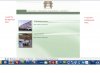
    How to create a static background-techsupportforbkgrd.jpg

    I want it to look similar to this:
    How to create a static background-oliver.jpg

  2. #2
    Member
    Join Date
    Jan 2008
    Posts
    78
    Thanks
    0
    Thanked 3 Times in 3 Posts

    Re: How to create a static background

    a background like the examples you give is pretty easy to do. Basically it's just a one pixel wide image, top to bottom. Just specify it as a background for <body> and added repeat along the "x" axis. then specify a background colour which is the same colour where the image ends.

    So in your example it goes from dark blue to light blue. The background colour sits below the background image. Where the image ends the background colour kicks in. If you give it the same colour as the last pixel (lowest) of the image then the transition between the image and the background colour will be seamless.

    The CSS would look something like this:

    body {
    background: #09F url(images/background.gif) repeat-x;
    }

    cheers

    Chris
    Chris Herrmann
    Lemon: Digital Design - we're really good at web design!

  3. #3
    Member
    Join Date
    Jan 2008
    Posts
    78
    Thanks
    0
    Thanked 3 Times in 3 Posts

    Re: How to create a static background

    good to hear it worked!

    Usually you do not need to add "top centre" or "fixed". These are assumed. However without seeing the rest of your CSS I cannot really comment. The sample I posted was the cleanest and simplest way to do it in an empty CSS file. If you add a couple of rules and that works for you, that's fine. CSS always works as a whole, it's difficult to just paste in one line without knowing where it gets pasted and seeing the rest of the CSS. So you probably did the right thing

    cheers

    Chris
    Chris Herrmann
    Lemon: Digital Design - we're really good at web design!

  4. #4
    Junior Member
    Join Date
    May 2011
    Posts
    9
    Thanks
    0
    Thanked 0 Times in 0 Posts

    Re: How to create a static background

    Thanks Chrisatlemon. I'll try what you suggested. : )

  5. #5
    Junior Member
    Join Date
    Jul 2011
    Posts
    4
    Thanks
    0
    Thanked 0 Times in 0 Posts

    Re: How to create a static background

    good to know - i always wanted to change that at my site, but didn't dare to change css codes... thank you!

  6. #6
    Junior Member
    Join Date
    Jul 2011
    Posts
    5
    Thanks
    0
    Thanked 0 Times in 0 Posts

    Re: How to create a static background

    Well explained about it.. Keep it sharing like this..

  7. #7
    Banned
    Join Date
    Jul 2011
    Posts
    4
    Thanks
    0
    Thanked 0 Times in 0 Posts

    Re: How to create a static background

    thank you sir to share such a great and help full information, i really like it and i find it very help full, keep it up


Tags for this Thread

Posting Permissions

  • You may not post new threads
  • You may not post replies
  • You may not post attachments
  • You may not edit your posts
Powered by vBulletin® Version 4.1.9
Copyright © 2012 vBulletin Solutions, Inc. All rights reserved.
Content Relevant URLs by vBSEO 3.6.0
Copyright 2011 Photoshop Gurus Forum. All rights reserved.
All times are GMT -5. The time now is 06:13 PM.
vBulletin Skins