What's new
Photoshop Gurus Forum

Welcome to Photoshop Gurus forum. Register a free account today to become a member! It's completely free. Once signed in, you'll enjoy an ad-free experience and be able to participate on this site by adding your own topics and posts, as well as connect with other members through your own private inbox!

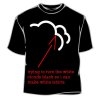
How to separate image from background??????


Use the magic wand or quick select tool to select the black portion of the image and delete it. Once it's deleted, double click on your layer and add the "stroke" layer style and choose the settings you want.
 
thanks so much i deleted the black background but when i go to double click the background layer"only layer" it doesnt give me the option to add "stroke" layer...im on cs4
 
Ok not to worry. Once you've deleted the black portion, try ctrl or cmd + clicking on the layer itself in the layers panel. This should bring up a selection of the cloud shape. If it does, go to edit and then choose stroke. Hope this works :thumbsup:
 
i think i got it but i cant figure out what im really trying to do...im designing a tshirt but i want to erase the back ground and have 2 sets of clouds....black and white. maby if i send you the image would you be able to do?
 
Great BlueInGreen! You helped someone out with some of your first posts. Welcome to the forum!
 

Back
Top