-
Junior Member
-
-
Forum Mod
Re: Distorting shapes
is this what your trying to achieve
hb copy.ai
-
-
Junior Member
Re: Distorting shapes

Originally Posted by
Hoogleman
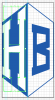
Thanks for the reply. No I am trying to achieve the jpg image thats attached to the forum post. There should be two files attached to the post. The ai file is how far I have got so far. What I am trying to do is expand the characters that I created into the diagonal shape. Hope that makes sense and Again, thanks.
-
-
Forum Mod
Re: Distorting shapes
Do you mean this ONly done the H
-
The Following User Says Thank You to Hoogle For This Useful Post:
-
Junior Member
Re: Distorting shapes
Yeah that the sort of thing. How did you manage that?
-
-
Junior Member
Re: Distorting shapes
Without sounding un-grateful, did you use free transform for this? Was trying to work out how to transform it more accurately using precise angles.
-
-
Forum Mod
Re: Distorting shapes
select the 2nd arrow down on the toolbar should be white click away from your art work so nothing is selected and then go back and click on 1 of the letters and it should just select that letter. Then use the black arrow and select 1 of the middle anchor points or the 1s that are white not the solid cyan colour and resize the letter by dragging 1. THen go to effect > distort and transform > free transform job done however it is fiddly maybe an easier way.
-
-
Forum Mod
Re: Distorting shapes
if you go to effect distort and Transform > transform you can have a preview box for height and width still looking though to see if there is an easier way I have never used illustrator before so we are learning together. Where is Seniors when you need him.
-
-
Junior Member
Re: Distorting shapes
This is now the winning method as I have spent too much time on this now. The only other way that I found was to select the individual anchor points, but that involved far too many calculations to work out the exact co-ordinates of each anchor point at which point I thought screw this.
Again thank you very much for the help, I too am very new to Illustrator so any help is much appreciated.
-
-
Forum Mod
Re: Distorting shapes
I know it is not what your trying to do but maybe if you want to venture onto other projects
80 Best-Of Adobe Illustrator Tutorials, Brushes, .EPSs and Resources - Noupe
-
Tags for this Thread
Posting Permissions
- You may not post new threads
- You may not post replies
- You may not post attachments
- You may not edit your posts
Forum Rules
Powered by
vBulletin® Version 4.1.9
Copyright © 2012 vBulletin Solutions, Inc. All rights reserved.
Content Relevant URLs by
vBSEO 3.6.0
Copyright 2011 Photoshop Gurus Forum. All rights reserved.