-
Member
Photo Restoration
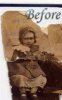
Here's a before and after of an early restoration that I did. The original was a badly damaged photo of a relative that was given to me as a scan.
Techniques used were cloning, patch tool and some lighting / shading using black and white paint in overlay mode.
Any comments are welcome.
-
-
Guru
Re: Photo Restoration
Not bad but considering the size hard too say. On the after one I would have done a weebit better on the arm(elbow area) and sleeve make it bigger like thisAttachment 2051
but so low res very subjective
-
-
Member
Re: Photo Restoration
Thanks for the feedback iDad,
I agree with your note about the elbow area. I should maybe try to get hold of the original, rescan at hi-res and have another go at it.
-
-
Guru
Re: Photo Restoration
if you are going to print I would
-
-
Member
Re: Photo Restoration
Thanks again! I don't expect to be needing to go to print. It's just an old photo out of the draw.
I did this a while ago as an experiment to learn and see if I could stitch together a badly damaged photo. I did learn a lot and have learned more since. Your feedback is good for me and helps with further improvements.
Thanks again for your "fresh eye" feedback.
-
Posting Permissions
- You may not post new threads
- You may not post replies
- You may not post attachments
- You may not edit your posts
Forum Rules
Powered by
vBulletin® Version 4.1.9
Copyright © 2012 vBulletin Solutions, Inc. All rights reserved.
Content Relevant URLs by
vBSEO 3.6.0
Copyright 2011 Photoshop Gurus Forum. All rights reserved.