
Photoshop Gurus Forum
Welcome to Photoshop Gurus forum. Register a free account today to become a member! It's completely free. Once signed in, you'll enjoy an ad-free experience and be able to participate on this site by adding your own topics and posts, as well as connect with other members through your own private inbox!
You are using an out of date browser. It may not display this or other websites correctly.
You should upgrade or use an alternative browser.
You should upgrade or use an alternative browser.

$1r_M4x1mu$
Guru
- Messages
- 1,487
- Likes
- 294

SeniorS
Guru
- Messages
- 1,517
- Likes
- 452
Thanks!
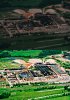
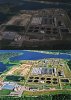
Pretty easy actually.
First was curves with auto. White point CMYK(8,6,6,0) to not be to zero because it will go to typography. It will get whiter in process but not reach zero.
Then Shadows/Highlights about 25%/0%. Then same with 15%/0% (maybe could be done in one step but i'm cautious).
Then curves to adjust contrast but more higlight midtones and highlights than add shadows (those will go dark anyway by next steps).
Then copied layer with overlay opacity about 20%.
Then again copy layer with overlay opacity 40% and highpass about 40 (that gives much vivid color). Then again copy layer with overlay and highpass about 3 to sharpen.
And then i don't remember ... probably add some more saturation (not more that 10%). Definitely some curves to correct some tones and shadows to bring out details a little (with mask).
What i remember i use history brush about 10% to little lower oversaturated water is was too much.
And clean all white points which all this was bringing out.
And that pretty much all.
About 5minutes work. But i'm afraid that this method could be bad for jpg. Probobly will bring much artefacts. Haven't tried yet to "sent-in" material.
But worked very good to scanned photos.
P.S. I find out that it is more easy to me to make curves with white mask do adjustments looking on places where it will remain. Then set mask to black and paint over those places. That goes faster than select for me and more acurate because of changing brush opacity.
Pretty easy actually.
First was curves with auto. White point CMYK(8,6,6,0) to not be to zero because it will go to typography. It will get whiter in process but not reach zero.
Then Shadows/Highlights about 25%/0%. Then same with 15%/0% (maybe could be done in one step but i'm cautious).
Then curves to adjust contrast but more higlight midtones and highlights than add shadows (those will go dark anyway by next steps).
Then copied layer with overlay opacity about 20%.
Then again copy layer with overlay opacity 40% and highpass about 40 (that gives much vivid color). Then again copy layer with overlay and highpass about 3 to sharpen.
And then i don't remember
... probably add some more saturation (not more that 10%). Definitely some curves to correct some tones and shadows to bring out details a little (with mask). What i remember i use history brush about 10% to little lower oversaturated water is was too much.
And clean all white points which all this was bringing out.
And that pretty much all.
About 5minutes work. But i'm afraid that this method could be bad for jpg. Probobly will bring much artefacts. Haven't tried yet to "sent-in" material.
But worked very good to scanned photos.
P.S. I find out that it is more easy to me to make curves with white mask do adjustments looking on places where it will remain. Then set mask to black and paint over those places. That goes faster than select for me and more acurate because of changing brush opacity.

ibclare
Queen Bee
- Messages
- 9,890
- Likes
- 4,028
Very amazing. I am so glad to have the regular input of experienced Gurus. I am bookmarking this page Senior S as I want to try it. But I have to refresh some of the things you mention that I don't use regularly. Bet it would improve my work and make it more efficient to use things like highpass. Thanks for detailing your process for us, Clare
$1r_M4x1mu$
Guru
- Messages
- 1,487
- Likes
- 294
SeniorS
Guru
- Messages
- 1,517
- Likes
- 452
It's good feeling if someone finds your explanation usefull
$1r_M4x1mu$ : I agree. I like curve in cmyk because of black chanell. But i forgoten to mention that that all done in RGB. Some additional curves was in cmyk but mostly in rgb. And all overlay&filters i always do in rgb because of unpredictable total color ink. For that time period (about 2years) we are restrict to Total Ink=300. There was good times when it was 360. For first time it was hard to get used to such lower and more compress color cast (if it's right word i hope). Like harder to control midtones not affecting shadows. But since i start more work with RGB problem became "smaller".
P.S. Uff...week's typewriting limit is emptyned
$1r_M4x1mu$ : I agree. I like curve in cmyk because of black chanell. But i forgoten to mention that that all done in RGB. Some additional curves was in cmyk but mostly in rgb. And all overlay&filters i always do in rgb because of unpredictable total color ink. For that time period (about 2years) we are restrict to Total Ink=300. There was good times when it was 360. For first time it was hard to get used to such lower and more compress color cast (if it's right word i hope). Like harder to control midtones not affecting shadows. But since i start more work with RGB problem became "smaller".
P.S. Uff...week's typewriting limit is emptyned
