
3Likes
-
Power User
Forest
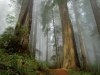
i had a little fun experiment with a nice pic of a forest:
Before:
after:
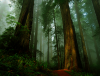
i think it looks pretty awesome, i tried to keep it simple, what do you guys think?
Nobody reads this, YOU ARE NOBODY!! :D
-
-
Member
Re: Forest
awsome i've seen stuff like that from pros but i couldnt find how did they do it can you tell me how did you do this i allways thought you do some thing with the filters and hue ans saturation right?
-
-
Power User
Re: Forest
pretty easy
it's with the adjustments,
i did it with Image=>adjustments=>
- color balance
- white and black
- curves
- hue/saturation
not in that order ofcourse, first color, than hue, than curves than white/black
just a little fun experiment, no single 5 minutes work on it
Nobody reads this, YOU ARE NOBODY!! :D
-
-
Silly Trucker
Re: Forest
Nice one mate, where you been anyway?
-
-
Power User
Re: Forest
no acces to main computer due to virusses and so on, I can't do some photoshop on a tiny laptop can I? still problems with tablet :/
PS: notice the tiny copyright watermark at the first image 
evil photoshopper here
Nobody reads this, YOU ARE NOBODY!! :D
-
-
Member
Re: Forest
ty i need to work on adjustments more it seems pretty easy but you need to get every thing right inorder to make it work
-
-
Forum Mod
Re: Forest
Nice work Burned only thing I would suggest at your hue saturation adjustment layer set it to each colour channel for example when your boosting the greens instead of maste select the green channel that way you wont get the green hazing in the mist but good to see you post some work at 1 point I thought we had lost you
-
-
Guru
Re: Forest
I actually prefer the before image. Hey, you can't please everybody...
-
-
Power User
Re: Forest
lost me? never hoogle, never 
you're right, people can't please everybody
Nobody reads this, YOU ARE NOBODY!! :D
-
-
Forum Mod
Re: Forest
never to altering the colours by individual colour channels or never to loosing you
-
Tags for this Thread
Posting Permissions
- You may not post new threads
- You may not post replies
- You may not post attachments
- You may not edit your posts
Forum Rules
Powered by
vBulletin® Version 4.1.9
Copyright © 2012 vBulletin Solutions, Inc. All rights reserved.
Content Relevant URLs by
vBSEO 3.6.0
Copyright 2011 Photoshop Gurus Forum. All rights reserved.