+ Reply to Thread
Results 1 to 9 of 9

Thread: Any ideas?

  1. #1
    Member
    Join Date
    Sep 2011
    Posts
    79
    Thanks
    0
    Thanked 4 Times in 4 Posts

    Any ideas?

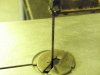
    My friend took a photo of a saw, no idea what type of saw but it cuts stuff.
    He was unhappy because it was yellow due to the lighting of the room.
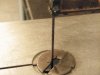
    I tried to reduce the yellowness but I've never done colour altering before.
    SO: any ideas? Or would you say this is ok?
    By the way. its such a grainy photo, there is no better quality
    BEFORE:
    AFTER:

    For full size imagesClick here!
    (sorry steve!)

  2. #2
    Guru
    Join Date
    Jul 2009
    Location
    right in front of you
    Posts
    5,904
    Thanks
    23
    Thanked 147 Times in 144 Posts

    Re: Any ideas?

    no picture showing here

  3. #3
    Member
    Join Date
    Sep 2011
    Posts
    79
    Thanks
    0
    Thanked 4 Times in 4 Posts

    Re: Any ideas?

    BEFORE:Any ideas?-1.jpg
    AFTER:Any ideas?-1-1.jpg

    I uploaded as an attachment idad. How about now?

    For full size imagesClick here!
    (sorry steve!)

  4. #4
    Senior Member
    Join Date
    Oct 2011
    Location
    Belgium
    Posts
    119
    Thanks
    10
    Thanked 4 Times in 4 Posts

    Re: Any ideas?

    I think it is good already honestly, did you try any fill in layer to be added on exclusion like dark blue or soft light brown/grey to intensify a bit, it will tint a bit your photos but softly, well you can if you did not think of that idea play around...

    Hope it helps.

    Cheers
    I am perfectly imperfect, that makes me unique !
    Nat

  5. #5
    Member
    Join Date
    Sep 2011
    Posts
    79
    Thanks
    0
    Thanked 4 Times in 4 Posts

    Re: Any ideas?

    Quote Originally Posted by nataloran View Post
    I think it is good already honestly, did you try any fill in layer to be added on exclusion like dark blue or soft light brown/grey to intensify a bit, it will tint a bit your photos but softly, well you can if you did not think of that idea play around...

    Hope it helps.

    Cheers
    Ok, thanks! I'll try it out to see what it looks like.
    As I said I've never done colour correction.

    For full size imagesClick here!
    (sorry steve!)

  6. #6
    Senior Member
    Join Date
    Oct 2011
    Location
    Belgium
    Posts
    119
    Thanks
    10
    Thanked 4 Times in 4 Posts

    Re: Any ideas?

    if you know which color you want of what you can always select part and then brush soft with the color wanted and overlay it and diminue opacity for realism effect ;-)

    Must try few things till you are totally happy ;-)
    I am perfectly imperfect, that makes me unique !
    Nat

  7. #7
    Member
    Join Date
    Sep 2011
    Posts
    79
    Thanks
    0
    Thanked 4 Times in 4 Posts

    Re: Any ideas?

    I was just aiming to get the image to look more natural. As you can see, It was REALLY yellow...

    For full size imagesClick here!
    (sorry steve!)

  8. #8
    Senior Member
    Join Date
    Oct 2011
    Location
    Belgium
    Posts
    119
    Thanks
    10
    Thanked 4 Times in 4 Posts

    Re: Any ideas?

    yup and I like the sepia tone it has now, but that's personal opinion ;-) it adds a bit of vintage to the picture ;-)
    I am perfectly imperfect, that makes me unique !
    Nat

  9. #9
    Member
    Join Date
    Sep 2011
    Posts
    79
    Thanks
    0
    Thanked 4 Times in 4 Posts

    Re: Any ideas?

    It was meant to look more natural but I can see where you were coming from with the sepia tone. Well, I've posted it back now, I'll see what he thinks!

    For full size imagesClick here!
    (sorry steve!)


Tags for this Thread

Posting Permissions

  • You may not post new threads
  • You may not post replies
  • You may not post attachments
  • You may not edit your posts
Powered by vBulletin® Version 4.1.9
Copyright © 2012 vBulletin Solutions, Inc. All rights reserved.
Content Relevant URLs by vBSEO 3.6.0
Copyright 2011 Photoshop Gurus Forum. All rights reserved.
All times are GMT -5. The time now is 06:31 PM.
vBulletin Skins