+ Reply to Thread
Page 1 of 2 12 LastLast
Results 1 to 10 of 17
Like Tree2Likes

Thread: Image Restoration (2 examples)

  1. #1
    Member
    Join Date
    Dec 2008
    Location
    United Kingdom
    Posts
    90
    Thanks
    37
    Thanked 0 Times in 0 Posts

    Image Restoration (2 examples)

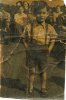
    I still have a way to go to master image restoration but I wanted to show you guys two examples of pictures I have restored last year. I see flaws in them both, but I want to know if others here can see the flaws? Perhaps you can see flaws that I cannot see? Also, is anyone an expert at this and can give me a few pointers?

    Image Restoration (2 examples)-restoration-boy%2520original.jpg Image Restoration (2 examples)-restoration-boy%2520restored.jpg

    Image Restoration (2 examples)-restoration-grandparents%2520original.jpg Image Restoration (2 examples)-restoration-grandparents%2520restored.jpg
    $1r_M4x1mu$ and Paul like this.
    Intel Core i7 2600k - 2x4GB Corsair DDR3 XMS3 - MSI Radeon HD 6950 2GB Twin Frozr III Power Edition - Asrock Z68 Extreme4 - Corsair 120GB Force SSD - Corsair HX Series 620W - Windows 7 Home Premium 64bit

  2. #2
    Administrator
    Join Date
    Jul 2010
    Location
    New Jersey, USA
    Posts
    4,737
    Thanks
    12
    Thanked 160 Times in 150 Posts

    Re: Image Restoration (2 examples)

    Excellent job.

  3. The Following User Says Thank You to Steve For This Useful Post:

    gohan2091 (10-17-2011)

  4. #3
    Forum Mod
    Join Date
    Jun 2011
    Location
    Imperial Beach, CA, US
    Posts
    3,562
    Thanks
    97
    Thanked 218 Times in 217 Posts

    Re: Image Restoration (2 examples)

    Pretty darn good. You've got a lot more to work with in the second picture, so I'd say you did a great job. In the first, I think because you are trying to clone or piece together large areas, they get muddy. You've lost the detail in the kid's shorts and that is rather glaring unfortunately. His hair looks a bit slicked and overall there is a graininess that is foreign to the film. But given what you had to work with, you did a great job. You might want to consider going back into the first one and trying to build a better pair of shorts! That's the only thing that I find a problem really.

  5. The Following User Says Thank You to ibclare For This Useful Post:

    gohan2091 (10-17-2011)

  6. #4
    Silly Trucker
    Join Date
    May 2011
    Location
    Trucking the big roads, dust and all.
    Posts
    4,530
    Thanks
    43
    Thanked 228 Times in 223 Posts

    Re: Image Restoration (2 examples)

    Excellent work, this is up there as one of my favourite types of Photoshop work, it's fun also.


  7. The Following User Says Thank You to Paul For This Useful Post:

    gohan2091 (10-17-2011)

  8. #5
    Guru
    Join Date
    Aug 2011
    Location
    Sweden
    Posts
    559
    Thanks
    28
    Thanked 32 Times in 32 Posts

    Re: Image Restoration (2 examples)

    pretty good, especially the second.
    BTC - 1D9hQP5hgGRRtYzsPd1pjA4Mfu6irodRip
    PGP - 0x13C873D5

  9. The Following User Says Thank You to fenix For This Useful Post:

    gohan2091 (10-17-2011)

  10. #6
    Junior Member
    Join Date
    Oct 2011
    Posts
    10
    Thanks
    0
    Thanked 2 Times in 2 Posts

    Re: Image Restoration (2 examples)

    great work!

  11. The Following User Says Thank You to ultratge For This Useful Post:

    gohan2091 (10-17-2011)

  12. #7
    Forum Mod
    Join Date
    Mar 2002
    Location
    Here... ?
    Posts
    4,989
    Thanks
    10
    Thanked 191 Times in 189 Posts

    Re: Image Restoration (2 examples)

    Quite good, actually. You're in the right direction.

    Flaws - yes, there are....

    image 1 - the most obvious are the creases and bu7mps in the kid's pants. If you can retain that in , the image will look better. The details of his right knee, as wellDid you intend to turn the guy in the right back into a girl? lol.....

    2 image. - the roof in the background, just above the family - something not right with the detail.

    Just my 2 sens.

  13. The Following User Says Thank You to dv8_fx For This Useful Post:

    gohan2091 (10-17-2011)

  14. #8
    Member
    Join Date
    Dec 2008
    Location
    United Kingdom
    Posts
    90
    Thanks
    37
    Thanked 0 Times in 0 Posts

    Re: Image Restoration (2 examples)

    Quote Originally Posted by ibclare View Post
    Pretty darn good. You've got a lot more to work with in the second picture, so I'd say you did a great job. In the first, I think because you are trying to clone or piece together large areas, they get muddy. You've lost the detail in the kid's shorts and that is rather glaring unfortunately. His hair looks a bit slicked and overall there is a graininess that is foreign to the film. But given what you had to work with, you did a great job. You might want to consider going back into the first one and trying to build a better pair of shorts! That's the only thing that I find a problem really.
    Yeah, the first picture I didn't have much to clone, it because tricky, especially the shorts! This work is over a year old now, and looking back, I think I can improve it some more if I wanted. I have a few new techniques I could use to improve the first photograph, although the 2nd, I am not sure what I could bring to improve it.

    Quote Originally Posted by dv8_fx View Post
    Quite good, actually. You're in the right direction.

    Flaws - yes, there are....

    image 1 - the most obvious are the creases and bu7mps in the kid's pants. If you can retain that in , the image will look better. The details of his right knee, as wellDid you intend to turn the guy in the right back into a girl? lol.....

    2 image. - the roof in the background, just above the family - something not right with the detail.

    Just my 2 sens.
    I agree with you. The shorts really let my attempt down. I didn't notice the right knee until you pointed it out to me, thanks for that! lol, the guy in the right! I see what you mean.. nothing a pucker tool cannot sort out :P. With the 2nd picture, I agree the roof isn't quite right there. Perhaps one day I will go back and correct this. This picture is actually of my nanny, grandad and mum, they wanted it restored and asked if I could do it for them. They are very happy with it which is all that counts. Thanks very much all for your feedback!
    Intel Core i7 2600k - 2x4GB Corsair DDR3 XMS3 - MSI Radeon HD 6950 2GB Twin Frozr III Power Edition - Asrock Z68 Extreme4 - Corsair 120GB Force SSD - Corsair HX Series 620W - Windows 7 Home Premium 64bit

  15. #9
    Member
    Join Date
    Feb 2011
    Location
    France
    Posts
    45
    Thanks
    25
    Thanked 2 Times in 2 Posts

    Re: Image Restoration (2 examples)

    Great job
    Alex R.

  16. #10
    Junior Member
    Join Date
    Oct 2011
    Posts
    11
    Thanks
    0
    Thanked 2 Times in 2 Posts

    Re: Image Restoration (2 examples)

    Quote Originally Posted by gohan2091 View Post
    I still have a way to go to master image restoration but I wanted to show you guys two examples of pictures I have restored last year. I see flaws in them both, but I want to know if others here can see the flaws? Perhaps you can see flaws that I cannot see? Also, is anyone an expert at this and can give me a few pointers?

    Attachment 9724 Attachment 9725

    Attachment 9726 Attachment 9727
    Nice work, and lots of hours in front of the PC screen! I won’t mention the obvious areas that could use some rework as you have noted them yourself. One thing that wasn’t mentioned, and it’s probably just me. In the second picture I would have removed the small line (maybe phone) from the picture. But then again that’s just my preferance.

    I’m tackling the same type of restoration work on older, actually, to me, ancient photographs, so I can really relate to the hours of work you put into achieving the results you have. I’m not that experienced with PS so other than the basics stuff it’s still mostly new to me. Some on the this forum (I’m terrible on remembering names to give credit) have made suggestions by just dropping PS terminology that I’m not familiar with so off I go using the help section and or Googling for answers and darned if I don’t find a solution to the problem.
    I’ll post some of my most recent B&A work tonight for all to scrutinize. Some I posted previously so it may be the same old same old to some. The last one I finished to night is of a distant relatives store front and it has been my biggest challenge yet.

  17. The Following User Says Thank You to knarf For This Useful Post:

    gohan2091 (10-30-2011)


Tags for this Thread

Posting Permissions

  • You may not post new threads
  • You may not post replies
  • You may not post attachments
  • You may not edit your posts
Powered by vBulletin® Version 4.1.9
Copyright © 2012 vBulletin Solutions, Inc. All rights reserved.
Content Relevant URLs by vBSEO 3.6.0
Copyright 2011 Photoshop Gurus Forum. All rights reserved.
All times are GMT -5. The time now is 06:38 PM.
vBulletin Skins