
+ Reply to Thread
Results 1 to 8 of 8
  1. #1
    Junior Member
    Join Date
    Jul 2011
    Posts
    5
    Thanks
    0
    Thanked 0 Times in 0 Posts

    Help! - Cant open photo in PS CS2..

    I was editing JPEG files and all of a sudden I couldnt see any photo I opened in PS... I restarted my PC and my CS2 and tried to open a photo in PS again and it only shows in the little tiny box in top right hand corner but nothing in/on the PS box??? Totally confused..what did I do??

  2. #2
    Administrator
    Join Date
    Jul 2010
    Location
    New Jersey, USA
    Posts
    4,740
    Thanks
    12
    Thanked 160 Times in 150 Posts

    Re: Help! - Cant open photo in PS CS2..

    Are you zoomed all the way out?
    A screen shot would be helpful.

  3. #3
    Junior Member
    Join Date
    Jul 2011
    Posts
    5
    Thanks
    0
    Thanked 0 Times in 0 Posts

    Re: Help! - Cant open photo in PS CS2..

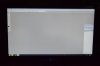
    Ok here is what the screen looks like...totally gray and blank YOu can see in the top(ish) right hand corner a small version of the pic so its in there...somewhere in PS land...but I hva NO CLUE why I cant see it to edit it...

    I clicked on Zoom OUt...no change... ??
    Attached Thumbnails Attached Thumbnails Help! - Cant open photo in PS CS2..-dsc_7892.jpg  


  4. #4
    Junior Member
    Join Date
    Jul 2011
    Posts
    5
    Thanks
    0
    Thanked 0 Times in 0 Posts

    Re: Help! - Cant open photo in PS CS2..

    All I know is the last photo I had open in there, when I went to save it and close it out, my mouse jumped...and it mustve clicked on something when it did that b/c after that I cant see anything I open... that's all I know ..for now...

  5. #5
    Administrator
    Join Date
    Jul 2010
    Location
    New Jersey, USA
    Posts
    4,740
    Thanks
    12
    Thanked 160 Times in 150 Posts

    Re: Help! - Cant open photo in PS CS2..

    Have you tried Ctrl+0 which is View|Fit on Screen?

    You can also try resetting your preferences file.

    Start Photoshop and immediately hold down Ctrl+Alt+Shift (Windows)

    or Command+Option+Shift (Mac OS X).


    Then, click Yes to the message, "Delete the Adobe Photoshop Settings file?"

  6. #6
    Junior Member
    Join Date
    Jul 2011
    Posts
    5
    Thanks
    0
    Thanked 0 Times in 0 Posts

    Re: Help! - Cant open photo in PS CS2..

    THANK YOU, Steve!! Its fixed!!! Dont know how I messed it up, but you fixed it!! Thanks again!!

  7. #7
    Administrator
    Join Date
    Jul 2010
    Location
    New Jersey, USA
    Posts
    4,740
    Thanks
    12
    Thanked 160 Times in 150 Posts

    Re: Help! - Cant open photo in PS CS2..

    Excellent, that's what I wanted to hear.

  8. #8
    Junior Member
    Join Date
    Jul 2011
    Posts
    5
    Thanks
    0
    Thanked 0 Times in 0 Posts

    Re: Help! - Cant open photo in PS CS2..


Tags for this Thread

Posting Permissions

  • You may not post new threads
  • You may not post replies
  • You may not post attachments
  • You may not edit your posts
Powered by vBulletin® Version 4.1.9
Copyright © 2012 vBulletin Solutions, Inc. All rights reserved.
Content Relevant URLs by vBSEO 3.6.0
Copyright 2011 Photoshop Gurus Forum. All rights reserved.
All times are GMT -5. The time now is 10:30 PM.
vBulletin Skins