-
Junior Member
How to create 'face shadow'
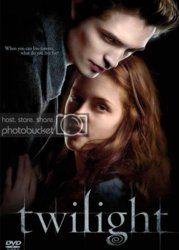
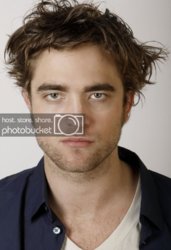
Hi, how would i go about creating shadow on a persons face. look at this example, how was this achieved?
-
-
Junior Member

Here's the image
-
-
Junior Member
ideas anyone?
or anyone fancy a go?
-
-
Power User
Really can't see the problem. The simplest is to use Lihtning Effects with several light sources.
The more hard but better way is to create dark and light versions of the image(by using Multiply and Screen layer modes), and then draw on the mask with the brush. It's like using a flashlight to expose certain areas in the image.
Just one thing though: using Multiply or Screen combine their effect twice: first use Multiply on the copy of the original, Merge, then again combine the result with original but using Luminosity mode. This way you can get rid of oversaturation side effect of Multiply mode. The same holds for Screen mode.
-
-
Junior Member
You might try a hue/sat adjustment layer with the lightness turned down. Then paint on the mask to apply the shadow.
-
Posting Permissions
- You may not post new threads
- You may not post replies
- You may not post attachments
- You may not edit your posts
Forum Rules
Powered by
vBulletin® Version 4.1.9
Copyright © 2013 vBulletin Solutions, Inc. All rights reserved.
Content Relevant URLs by
vBSEO 3.6.0
Copyright 2011 Photoshop Gurus Forum. All rights reserved.
All times are GMT -5. The time now is 01:32 PM.