
+ Reply to Thread
Page 3 of 3 FirstFirst 123
Results 21 to 30 of 30

Thread: Matte colors

  1. #21
    Junior Member
    Join Date
    Apr 2011
    Location
    Rhode Island
    Posts
    12
    Thanks
    0
    Thanked 1 Time in 1 Post

    Re: Matte colors

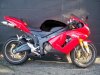
    loveforvdubs2, you can download the PSD file from the following URL, but here is the process:
    1. I enhanced the reds using selective color for easy pick up later on, I did not want to use any selections as it would likely leave red halos
    2. The second layer is a Hue & Saturation layer in which I reduced the saturation in Reds and Magentas while reducing Lightness, thus making those colors darker
    3. The next layer is a blank layer for cloning the very bright parts to make the next step a bit easier
    4. Then a burn/dodge layer with blending mode set to overlay and the layer filled with 50% gray, I painted over the specular highlights with a black brush. The opacity of the brush was set to around 35% to build density gradually.

    You want some lighter parts on the black otherwise the body will lose its form, however you can burn to your hearts content on the burn layer, but I recommend not making everything plain black. An improvement over this will be to change the black to a very dark charcoal color.

    The PSD file is at: (Sorry for the spelling of the URL, the system will not allow me to post URLs since I do not have the required minimum of 4 posts.) I will delete the file from there tomorrow or when you indicate you got it here, whichever comes first.

    www dot keptlight dot com slash testblog slash bike.psd
  2. The Following User Says Thank You to acekin For This Useful Post:

    loveforvdubs (04-19-2011)

  3. #22
    Junior Member
    Join Date
    Dec 2007
    Posts
    4
    Thanks
    2
    Thanked 0 Times in 0 Posts

    Re: Matte colors

    Thanks Acekin this was very helpful and I got the file! But I am a bit confused on layer 3, how do I clone the bright parts?

  4. #23
    Junior Member
    Join Date
    Dec 2007
    Posts
    4
    Thanks
    2
    Thanked 0 Times in 0 Posts

    Re: Matte colors

    Actually I got it figured out! that is pretty close to what I am looking for. Thanks so much!

  5. #24
    Junior Member
    Join Date
    Apr 2011
    Location
    Rhode Island
    Posts
    12
    Thanks
    0
    Thanked 1 Time in 1 Post

    Re: Matte colors

    You are welcome.

  6. #25
    Junior Member
    Join Date
    Dec 2007
    Posts
    4
    Thanks
    2
    Thanked 0 Times in 0 Posts

    Re: Matte colors

    Here is what I got. I did get a bit of haloing when I isolated the gas tank(the only portion I have done so far). But again, thanks to everyone for all the help. Matte colors-bike.jpg

  7. #26
    Junior Member
    Join Date
    Apr 2011
    Location
    Rhode Island
    Posts
    12
    Thanks
    0
    Thanked 1 Time in 1 Post

    Re: Matte colors

    That was one reason why I did not want to use a selection but let the color selections handle it for me. If you want to isolate it only to the gas tank:
    1. select all the adjustment layers and press Ctrl-G to put them to a group
    2. apply a layer mask to the group
    3. Paint the parts you do not want to convert to mat black with a black paint brush

    That will give you a cleaner gas tank with no halos. Also, the tank not having any tonal variance on different angled surfaces it looks like a hole with soot inside. If you look at the BMW you posted as a sample you will see tonal variations around the fenders which give it dimensionality. But, all said, it is your bike, it is your modification, you can do whatever you like.

  8. #27
    Forum Mod
    Join Date
    Mar 2002
    Location
    Here... ?
    Posts
    4,991
    Thanks
    10
    Thanked 191 Times in 189 Posts

    Re: Matte colors

    Quote Originally Posted by acekin View Post
    I presume you disapprove the treatment dv8_fx? Would you care to elaborate? There are actually 5 separate adjustment layers the opacity of each can be adjusted according to taste and need. Matte paint would not have created the heavy specular highlights creating the dull look.
    lol.... nah... what my last post meant was something my PS teacher really did say long ago. He never really liked rushing when finding the right settings on those sliders. and as I said, the work was rushed... tho with a little tweak more it would have been there.... but at 3am, had to hit the sack... twas great you jumped in....

    And great work acekin. We need more guys like you in the forum who could help out others during all time zones.....

    Oh yeah..... Welcome to the forum, acekin.

  9. #28
    Junior Member
    Join Date
    Apr 2011
    Location
    Rhode Island
    Posts
    12
    Thanks
    0
    Thanked 1 Time in 1 Post

    Re: Matte colors

    Thanks dv8_fx.

  10. #29
    Junior Member
    Join Date
    Apr 2011
    Posts
    16
    Thanks
    0
    Thanked 0 Times in 0 Posts

    Re: Matte colors

    matte white or silver?

  11. #30
    Junior Member
    Join Date
    Apr 2011
    Location
    Rhode Island
    Posts
    12
    Thanks
    0
    Thanked 1 Time in 1 Post

    Re: Matte colors

    The difference between matte and glossy surfaces is primarily in the way they reflect light. Any color can be treated as matte by reducing reflections to the point of creating the basic form of the object. For instance, a matte black ball will still look round because of the subtle differences between the areas that directly receive the light and other parts that receive less light, and thus are in the shade or shadow. If all the tones are made of uniform tonality, that is with no difference in luminosity, the black ball will look like a black hole. Glossy, or shiny surfaces may also have mirror-like qualities and create reflections of the environment whereas the matte surface will have none of it. In Photoshop, cloning, healing brushes along with burning may be the needed tools to create the illusion of a matte surface. All of this must be done so that the result does not look contrived.


Posting Permissions

  • You may not post new threads
  • You may not post replies
  • You may not post attachments
  • You may not edit your posts
Powered by vBulletin® Version 4.1.9
Copyright © 2012 vBulletin Solutions, Inc. All rights reserved.
Content Relevant URLs by vBSEO 3.6.0
Copyright 2011 Photoshop Gurus Forum. All rights reserved.
All times are GMT -5. The time now is 06:22 AM.
vBulletin Skins