-
Administrator
Re: Excessive grain/noise after editing in PS CS5 RAW

Originally Posted by
avz10
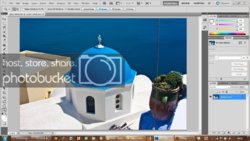
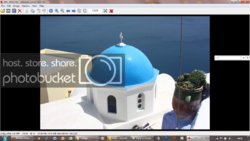
What is the best programme in your opinion to view edited photos especially to see how close they will be to printed gloss photos?
Photoshop.
Photoshop is the gold standard of photo editing and viewing.
You can use PS to correct and tweak your images or misuse them and damage an image.
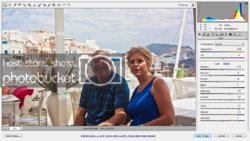
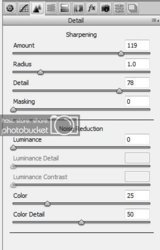
There is no reason to push sharpening as high as you did, you're not sharpening your degrading the image.
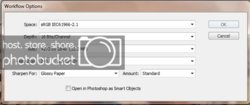
You sharpen for output and sharpening is the last thing you do.
Adjustments made to sharpened images can cause additional deterioration of the image.
If you have CS5 you already have everything you need you just have to learn how to use it properly.
-
-
Re: Excessive grain/noise after editing in PS CS5 RAW
Thank you, Steve.
Two questions:
1. If I want to print pictures, the closest to what will be printed will therefore be what I see on Photoshop?
2. If I want to show a lot a photos on my laptop to friends/family- what programme will be the best and fastest to scroll from one picture to another?
Thanks again
-
-
Administrator
Re: Excessive grain/noise after editing in PS CS5 RAW
Photoshop's answer to proofing images for printing is View|Proof Setup.
Choose the "exact" output device or paper you'll be using and toggle that view on and off with Ctrl+Y, Cmd+Y on a Mac.
Default is Working CMYK, that's not what you want if printing it yourself.
What you need to pick is the exact paper you're printing to.
If you're using Epson "Ultra Premium Photo Paper Luster", that's what you pick from the list.
Now with Ctrl+Y toggle that preview on and off to simulate how it will look when printed.
With all that said, it doesn't do a great job, the best way is to actually print some tests and fine tune from there.
Make sure to let Photoshop handle Color Management, and to turn off all the printers color management settings.
For you're second question, I don't use other viewers so I can't help you there.
You can create a slide show in Bridge and give that to your friends.
-
Tags for this Thread
Posting Permissions
- You may not post new threads
- You may not post replies
- You may not post attachments
- You may not edit your posts
Forum Rules
Powered by
vBulletin® Version 4.1.9
Copyright © 2012 vBulletin Solutions, Inc. All rights reserved.
Content Relevant URLs by
vBSEO 3.6.0
Copyright 2011 Photoshop Gurus Forum. All rights reserved.