
Photoshop Gurus Forum
Welcome to Photoshop Gurus forum. Register a free account today to become a member! It's completely free. Once signed in, you'll enjoy an ad-free experience and be able to participate on this site by adding your own topics and posts, as well as connect with other members through your own private inbox!
You are using an out of date browser. It may not display this or other websites correctly.
You should upgrade or use an alternative browser.
You should upgrade or use an alternative browser.
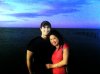
Will someone please fix the exposure on this pic -any improvement would b appreciated
- Thread starter nemo1982
- Start date
-
- Tags
- appreciated exposure fix improvement pic








KimberlyAtkins
Member
- Messages
- 7
- Likes
- 3
Re: Will someone please fix the exposure on this pic -any improvement would b appreci
I tried

I tried

fenix
Guru
- Messages
- 554
- Likes
- 179
Re: Will someone please fix the exposure on this pic -any improvement would b appreci
Thank you SeniorS! Yep, you´ve got it buddy! But it sure take some time i can tell you. I had to process an endless stack with copies just for to use a smaller parts of it which i then had to merge, copy and process over and over again until this puzzle of patching turned out as I was hoping for.
Excelent job fenix.
Did you dissect it by dozens selections/masks?
Or use some addon filters?
Thank you SeniorS! Yep, you´ve got it buddy! But it sure take some time i can tell you. I had to process an endless stack with copies just for to use a smaller parts of it which i then had to merge, copy and process over and over again until this puzzle of patching turned out as I was hoping for.

SeniorS
Guru
- Messages
- 1,517
- Likes
- 452
Re: Will someone please fix the exposure on this pic -any improvement would b appreci
I can say that if i wouldn't be so lazy (at first look image kinda asks for vivisection) then i would do it myself. But honestly, being realist and don't want flatter myself - it wouldn't be so good as yours.
One more time, excelent job.
And i was hoping that there is easy (filter) wayBut it sure take some time i can tell you.
I can say that if i wouldn't be so lazy (at first look image kinda asks for vivisection) then i would do it myself. But honestly, being realist and don't want flatter myself - it wouldn't be so good as yours.
One more time, excelent job.
fenix
Guru
- Messages
- 554
- Likes
- 179
Re: Will someone please fix the exposure on this pic -any improvement would b appreci
I´m sure you could do even better than me SeniorS. The things I have seen from you has all been great. BTW; When you mention filter, yes I do use a filter even tho I don´t really think of it as one. It is Camera RAW and you have it on CS4 and 5, maybe also on CS3. You could do pretty much editing in that one actually, very powerful adjustment, noise reduction etc. I have that one auto starting each time i open a pic so I never really thinks about that it is a kind of filter. Try it! It is a really good one.
I´m sure you could do even better than me SeniorS. The things I have seen from you has all been great. BTW; When you mention filter, yes I do use a filter even tho I don´t really think of it as one. It is Camera RAW and you have it on CS4 and 5, maybe also on CS3. You could do pretty much editing in that one actually, very powerful adjustment, noise reduction etc. I have that one auto starting each time i open a pic so I never really thinks about that it is a kind of filter. Try it! It is a really good one.
SeniorS
Guru
- Messages
- 1,517
- Likes
- 452
Re: Will someone please fix the exposure on this pic -any improvement would b appreci
Thanks for tip (and good words).
It happens that "they" not gives me good digital photos so i very rare use Camera Raw and wasn't aware that it can be used on simple images. That could be intresting and usefull.
Thanks for tip (and good words).
It happens that "they" not gives me good digital photos so i very rare use Camera Raw and wasn't aware that it can be used on simple images. That could be intresting and usefull.
fenix
Guru
- Messages
- 554
- Likes
- 179
Re: Will someone please fix the exposure on this pic -any improvement would b appreci
Top Menu: Edit/Preferences/Camera RAW. (or equal meaning depending on what language you´re using) Then at the bottom of that screen you have 2 click menus. JPEG & TIFF Handling. If you set both of those to " Automatically open all Supported JPEG/TIFF then Camera RAW will always open first when you try to open JPEG/TIFF files. Just do your editing here and when you feel happy then just click on: Open Image. And it will put it in PS as normal.
Top Menu: Edit/Preferences/Camera RAW. (or equal meaning depending on what language you´re using) Then at the bottom of that screen you have 2 click menus. JPEG & TIFF Handling. If you set both of those to " Automatically open all Supported JPEG/TIFF then Camera RAW will always open first when you try to open JPEG/TIFF files. Just do your editing here and when you feel happy then just click on: Open Image. And it will put it in PS as normal.
fenix
Guru
- Messages
- 554
- Likes
- 179
Re: Will someone please fix the exposure on this pic -any improvement would b appreci
Thank you Vafann!
Really good job Fenix! Wow!
Thank you Vafann!