Photoshop Gurus Forum
Welcome to Photoshop Gurus forum. Register a free account today to become a member! It's completely free. Once signed in, you'll enjoy an ad-free experience and be able to participate on this site by adding your own topics and posts, as well as connect with other members through your own private inbox!
You are using an out of date browser. It may not display this or other websites correctly.
You should upgrade or use an alternative browser.
You should upgrade or use an alternative browser.
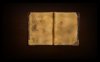
help make my book look more real
- Thread starter runnerjp
- Start date

$1r_M4x1mu$
Guru
- Messages
- 1,487
- Likes
- 294
Hi runnerjp
Welcome to PhotoShop Gurus.
Not really sure if what you need is the old book cover texture if this is the case this may help, Free High Resolution book cover textures
Or if you need is just the old grunge paper texture to apply on your book design, in this case, this may help, Free old paper textures
Welcome to PhotoShop Gurus.
Not really sure if what you need is the old book cover texture if this is the case this may help, Free High Resolution book cover textures
Or if you need is just the old grunge paper texture to apply on your book design, in this case, this may help, Free old paper textures
$1r_M4x1mu$
Guru
- Messages
- 1,487
- Likes
- 294
Hi.
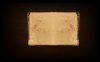
Try changing or modifying the texture on the second page, it doesn't have to be the same as in the first page, because it doesn't ok to me, you could use the clone stamp, content aware fill, etc in order to change some parts or obvious spots in the texture, or you could use a similar texture instead.
Have fun.
Try changing or modifying the texture on the second page, it doesn't have to be the same as in the first page, because it doesn't ok to me, you could use the clone stamp, content aware fill, etc in order to change some parts or obvious spots in the texture, or you could use a similar texture instead.
Have fun.

- Messages
- 1,825
- Likes
- 1,101
Stains always have a ring mark!
Blending is fine but sometimes, it helps to have real marks, and not quite the same on both pages. Also, the colours are very vivid for what is perceived to me as a old stained book.
Blending is fine but sometimes, it helps to have real marks, and not quite the same on both pages. Also, the colours are very vivid for what is perceived to me as a old stained book.

Hoogle
Guru
- Messages
- 7,940
- Likes
- 2,488
I would say add some depth into it do some dodge and burning would help you burn around the stains and shadows and dodge some of the lighter parts. The best way for this I would say is create a new layer press shift+ f5 to bring up the fill dialogue box choose 50% grey set the layer mode to any of the soft light or overlay options that you think looks best then either use the dodge and burn tools or just simply use the paint brush and paint in black for burning and white for dodging at a low opacity soft brush.
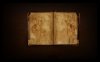
ok so i have taken on the advise Hoogleman and i got to this
View attachment deskbackground.psd
it looks like somones just smoked it lol...
i have used the dodge and burn tools
is there something im doing wrong or any other tips u have?
View attachment deskbackground.psd
it looks like somones just smoked it lol...
i have used the dodge and burn tools
is there something im doing wrong or any other tips u have?
- Messages
- 1,825
- Likes
- 1,101
I still think the colour in the pages is too saturated.