-
Junior Member
In photoshop CS3- why does my image come up different?
I was wondering why when I opened a photo in photoshop it comes in with different colors and levels. Usually people's faces look very red. I spend most of my time trying to get the colors back to normal before I can actually alter the photo the way I'd like. I wish I could open the files the way they look in preview (yes I'm on a MAC- not sure if that matters) in photoshop. Please help do I need to reset something or something?
-
-
Administrator
Re: In photoshop CS3- why does my image come up different?
I'm not a Mac user so I don't know what you mean "the way they look in preview ".
How are you previewing them?
A assume these images are coming from a camera, am I right?
If so what color space setting are you using, sRGB or Adobe RGB 1998?
Also in the camera are you shooting Raw or jpg, have you altered the camera color saturation or contrast settings?
When you open the image in PS are you using the same color profile your camera is set for?
What you probably have here is a color space mismatch.
You're preview probably doesn't support color profiles, your camera is set to one setting and PS to another.
If you can let us know about all the settings I asked about I'm sure we can help you out.
-
-
Junior Member
Re: In photoshop CS3- why does my image come up different?
Preview is simply the program that opens the photo. I just mean the photo itself versus the photo opened in photoshop.
The images are coming from a camera
and I've tried to set it to both on photoshop (let adobe pick or let apple pick - those were my two options)
I'm not entirely sure how to find out all this information.
The camera saves the files as jpegs and they are unaltered until I open them on fb.
How can I check this out/fix it?
THANK YOU!
-
-
Administrator
Re: In photoshop CS3- why does my image come up different?
What camera are you using?
Some place in the camera setup you may have the option to select a color space, Adobe RGB 1998 or sRGB.
If you don't have that option your camera is probably using sRGB.
You may also have the option to tweak the color, sharpening, and saturation in the camera.
If you don't know where any of these settings are then you may not have them and if you do, you didn't change them.
I'm going to assume your camera is using sRGB and you haven't boosted your in-camera setting.
Open Photoshop and go to Image|Color Settings and select North America General Purpose, a little lower down you'll see 3 boxes. check all 3.
Now your camera and Photoshop are using the same color profile and PS will warn you if there's a mismatch or if there is no profile being used.
Open an image now and if you get some kind of warning box tell me what it says.
.......... I've tried to set it to both on photoshop (let adobe pick or let apple pick - those were my two options)
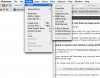
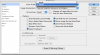
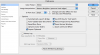
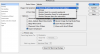
Where in Photoshop are you seeing those options?
-
-
Junior Member
-
-
Junior Member
Re: In photoshop CS3- why does my image come up different?
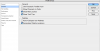
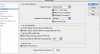
Those are 6 different screen shots just so you know. I tried to show you all the options.
-
-
Administrator
Re: In photoshop CS3- why does my image come up different?
I should have mentioned in my first reply that it's important that your monitor be calibrated.
If you don't have a colorimeter there is some free software you can use that could help.
***
Those settings are fine althought they are irelavent to your issue.
Like I said:
"Open Photoshop and go to Image|Color Settings and select North America General Purpose, a little lower down you'll see 3 boxes. check all 3.
Now your camera and Photoshop are using the same color profile and PS will warn you if there's a mismatch or if there is no profile being used."
When you sellect North America General Purpose the check boxes will not be selected, when you check the boxes it will say Custom, click OK.
You haven't told me what camera you have so I still have to assume it's using the sRGB color profile and now Photoshop is too.
Now your camera and Photoshop are using the same color profile and PS will warn you if there's a mismatch or if there is no profile being used.
The images will look different in preview and in Photoshop because PS supports color profiles and the preview program probably doesn't but PS should now be accurately reproducing what the camera captured.
-
Tags for this Thread
Posting Permissions
- You may not post new threads
- You may not post replies
- You may not post attachments
- You may not edit your posts
Forum Rules
Powered by
vBulletin® Version 4.1.9
Copyright © 2012 vBulletin Solutions, Inc. All rights reserved.
Content Relevant URLs by
vBSEO 3.6.0
Copyright 2011 Photoshop Gurus Forum. All rights reserved.