+ Reply to Thread
Results 1 to 7 of 7
  1. #1
    Junior Member
    Join Date
    Oct 2011
    Posts
    8
    Thanks
    1
    Thanked 0 Times in 0 Posts

    Adding color to a black and white microscope image.

    Hi there!


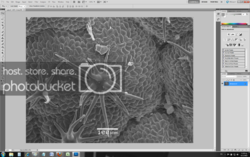
    I can’t colorize a black and white picture from a miscroscope, no matter what I do.


    Please give me a help. (I am new to Photoshop).

    Best Regards Vangelis

  2. #2
    Junior Member
    Join Date
    Oct 2011
    Posts
    8
    Thanks
    1
    Thanked 0 Times in 0 Posts

    Re: Adding color to a black and white microscope image.

    More info...

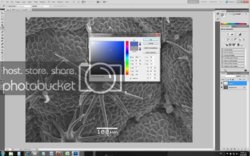
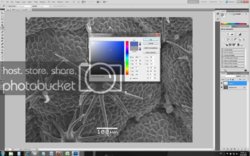
    I can't put color in my blck and white picture even if, I create a new layer and use the paint bucket it makes it gray!
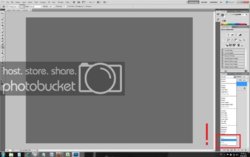
    And in the channels options the color/hue/saturation/luminosit*y are greyed out!

    If anyone can give me a help would be great.

  3. #3
    Junior Member
    Join Date
    Oct 2011
    Posts
    8
    Thanks
    1
    Thanked 0 Times in 0 Posts

    Re: Adding color to a black and white microscope image.

    Sorry for the many posts but because I am new to this forum (I had only 3 post) I couldn't post a link for the image.

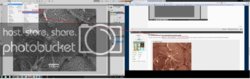
    Here are the images for referance.


  4. #4
    Silly Trucker
    Join Date
    May 2011
    Location
    Trucking the big roads, dust and all.
    Posts
    4,537
    Thanks
    43
    Thanked 228 Times in 223 Posts

    Re: Adding color to a black and white microscope image.

    Create new layer click on IMAGE -ADJUSTMENTS - COLOUR BALANCE pick your colours and have fun, lots of other ways but thats the quickest.


  5. #5
    Junior Member
    Join Date
    Oct 2011
    Posts
    8
    Thanks
    1
    Thanked 0 Times in 0 Posts

    Re: Adding color to a black and white microscope image.

    Thanks for the quick reply!

    But it didn't worked...the color balance is greyed out


  6. #6
    Member
    Join Date
    Dec 2011
    Location
    Cambridge UK
    Posts
    30
    Thanks
    0
    Thanked 5 Times in 5 Posts

    Re: Adding color to a black and white microscope image.

    Sounds like you could be in Greyscale Mode.

    Go...Image > Mode > and put a check mark beside RGB Color

    ...YOU KNOW IT MAKES SENSE...

  7. The Following User Says Thank You to PseFrank For This Useful Post:

    Vagos (12-09-2011)

  8. #7
    Junior Member
    Join Date
    Oct 2011
    Posts
    8
    Thanks
    1
    Thanked 0 Times in 0 Posts

    Re: Adding color to a black and white microscope image.

    Thanks pseFrank

    It worked!!!!


Posting Permissions

  • You may not post new threads
  • You may not post replies
  • You may not post attachments
  • You may not edit your posts
Powered by vBulletin® Version 4.1.9
Copyright © 2012 vBulletin Solutions, Inc. All rights reserved.
Content Relevant URLs by vBSEO 3.6.0
Copyright 2011 Photoshop Gurus Forum. All rights reserved.
All times are GMT -5. The time now is 08:27 AM.
vBulletin Skins