5Likes
-
Re: Colour Splash...photoshop.
-
-
-
-
Member
Re: Colour Splash...photoshop.
I think you have done a great job so far, looks really good
I think the area you are struggling with is the top of the chest / neck area, I have some things to do right now but will happily take a look later, but in the meantime have you tried making a selection based on your mask and then playing with some adjustment layers (hue or perhaps color) to see what effects you get. I think this will look great on a canvas when you get it finished. I also think you could try bringing out the color in the eyes as that might look good 
webwize
-
The Following User Says Thank You to webwize For This Useful Post:
-
Re: Colour Splash...photoshop.
Thanks! Great tip on playing with the adjustment layers! I shall have another play later today. I actually have a set of 3 of these that I will do the 'colour splash' on and then have a cool set of canvases. I will also try to colourise the eyes and see what that looks like. Thanks Again!
-
-
Guru
Re: Colour Splash...photoshop.
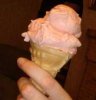
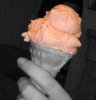
I think the lips would look better if the ice-cream was a different colour, and the lips were coloured too, a bit like this.
-
-
Silly Trucker
Re: Colour Splash...photoshop.

Originally Posted by
sarah_19_nz
Thanks for all of your responses! I have been using the mask idea and painting back but it is REALLY hard to get all the little bits of icecream. Also I have used the 'color range' option altering colour range and fuzziness.
Paul... your example is more what I mean as you have had to bring back the colour to such small crumbs of cake! How did you achieve this?
Thanks everyone...

As i said above - Black and white layer with layer mask added, layer below is the original colour one - paint on the layer mask and reveal the colours from original you desire. good luck mate.
-
Tags for this Thread
Posting Permissions
- You may not post new threads
- You may not post replies
- You may not post attachments
- You may not edit your posts
Forum Rules
Powered by
vBulletin® Version 4.1.9
Copyright © 2012 vBulletin Solutions, Inc. All rights reserved.
Content Relevant URLs by
vBSEO 3.6.0
Copyright 2011 Photoshop Gurus Forum. All rights reserved.