For some unknown reason, my backgrounds are opening with a gray background. All transparent backgrounds are now gray. Background and foreground are black and white so that's not the problem. This is frustrating me because I can't figure it out and I am sure it's something simple that I am overlooking. Anyone want to relieve this headache of mine? :banghead: thanks everyone!
Photoshop Gurus Forum
Welcome to Photoshop Gurus forum. Register a free account today to become a member! It's completely free. Once signed in, you'll enjoy an ad-free experience and be able to participate on this site by adding your own topics and posts, as well as connect with other members through your own private inbox!
You are using an out of date browser. It may not display this or other websites correctly.
You should upgrade or use an alternative browser.
You should upgrade or use an alternative browser.
Background is GRAY....or grey....
- Thread starter Rhondalea
- Start date
-
- Tags
- background grayor grey


Yes, I've been to preferences many times and can't find the problem. All settings were as you noted below. Just opened another png file and it's still a gray background. It's very frustrating because I know it has to be an easy fix but sometimes those are the buggers! Any other suggestions? Thank everyone!
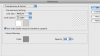
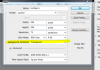
Did you check your transparency & gamut settings in Preferences? The GRID SIZE might be set to NONE.... See that it's set at medium and GRID COLORS at light.


Hoogle,
It's #2.
dv8,
It's both.
Attached is a sample of a png file I opened. When I create a new file, I still get the same dark gray bkgrd.

It's #2.
dv8,
It's both.
Attached is a sample of a png file I opened. When I create a new file, I still get the same dark gray bkgrd.
Contents on the background, H.
rhonda, the file you speak of... is it when you create a new file or opening a saved file?