+ Reply to Thread
Results 1 to 5 of 5
  1. #1
    Member
    Join Date
    Aug 2011
    Posts
    34
    Thanks
    3
    Thanked 0 Times in 0 Posts

    B/W Photo Brightness

    I colourise black and white photos, but I also come by b/w pictures where the person's skin is so bright, it is just a white blob with eyes, nose, and a mouth. And when I colour it, it is a super-bright skin colour blob with a nose and mouth.
    How can I put back natural looking shadows to it?

  2. #2
    Silly Trucker
    Join Date
    May 2011
    Location
    Trucking the big roads, dust and all.
    Posts
    4,544
    Thanks
    43
    Thanked 228 Times in 223 Posts

    Re: B/W Photo Brightness

    Imagination and patience, using standard Photoshop tools.

  3. #3
    Forum Mod
    Join Date
    Jun 2011
    Location
    Imperial Beach, CA, US
    Posts
    3,566
    Thanks
    97
    Thanked 218 Times in 217 Posts

    Re: B/W Photo Brightness

    Have you tried exposure adjustments and such? If that doesn't work you could try adding a layer, fill with 50% gray, set to overlay and do some burn passes (non-destructive) and see if that helps. However, if the details are not in the photo itself, there will be nothing to restore. Then, as Paul said, it will be up to you to paint and draw in the details. You can do that with soft brushes, starting with low opacities, and use the colors you already have to paint shadow and such. If you have other, better photos of the person, you can use one or more as a guide. Anyway, that's what I would do. Well actually, what I would do is get a better photo to begin with -- if possible.

  4. #4
    Junior Member
    Join Date
    Dec 2011
    Posts
    8
    Thanks
    0
    Thanked 0 Times in 0 Posts

    Re: B/W Photo Brightness

    ok you want to go to your layer pallet and at the bottom select the fill and adjustment menu B/W Photo Brightness-photoshop1.jpg
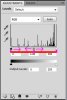
    then select levels. adjust the black and grey midtones to get the level of color you wantB/W Photo Brightness-layers.jpg

  5. #5
    Forum Mod
    Join Date
    Jun 2011
    Location
    Imperial Beach, CA, US
    Posts
    3,566
    Thanks
    97
    Thanked 218 Times in 217 Posts

    Re: B/W Photo Brightness

    That may be, and since it is Photoshop, there are any number of approaches including levels, exposure, curves . . . and in adjusting color balance it can be very helpful to use the histogram and the color channels that are in the levels adjustment palette till the numbers and spikes are more or less equal. But I'll say again, if the detail is not in the photograph itself - if the shadows are under exposed and the brights are blown out by overexposure, there will be nothing to pull out by any method. Oh I can imagine there is some plugin that will find some more detail and build up some pixels, kind of similar to what PS does when enlarging an img beyond original size, but there will be a finite degree of improvement. And I don't even know if such exists


Tags for this Thread

Posting Permissions

  • You may not post new threads
  • You may not post replies
  • You may not post attachments
  • You may not edit your posts
Powered by vBulletin® Version 4.1.9
Copyright © 2012 vBulletin Solutions, Inc. All rights reserved.
Content Relevant URLs by vBSEO 3.6.0
Copyright 2011 Photoshop Gurus Forum. All rights reserved.
All times are GMT -5. The time now is 09:38 AM.
vBulletin Skins