+ Reply to Thread
Results 1 to 6 of 6

Thread: Text wrap

  1. #1
    Member
    Join Date
    Oct 2011
    Posts
    33
    Thanks
    12
    Thanked 0 Times in 0 Posts

    Text wrap

    I know this is an InDesign question but I was hopign you might be able to help!

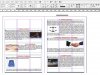
    I'm trying to wrap the text around an image in InDesign - it works fine when the image is to the left of the text box, but when I move it to the right it's not having any of it.

    Any suggestions?

    Cheers!

  2. #2
    Guru
    Join Date
    Jul 2011
    Location
    San Diego, CA
    Posts
    593
    Thanks
    9
    Thanked 25 Times in 25 Posts

    Re: Text wrap

    Can you supply a picture? Screen shot?


    Agent

  3. #3
    Member
    Join Date
    Oct 2011
    Posts
    33
    Thanks
    12
    Thanked 0 Times in 0 Posts

    Re: Text wrap

    Hi guys, just an update. I've discovered that depending on what page it's on (left or right) then that will judge which way it will allow the text to wrap.

    For example, on the left hand side of the page I can only have the image to the right of the text box and on the right page it only alows an image to the left of the text box.

    Any ideas?!

    Thanks!

  4. #4
    Member
    Join Date
    Oct 2011
    Posts
    33
    Thanks
    12
    Thanked 0 Times in 0 Posts

    Re: Text wrap

    Hope this is OK...thanks!

    Text wrap-text-wrap.jpg

  5. #5
    Forum Mod
    Join Date
    Jun 2011
    Location
    Uk
    Posts
    5,609
    Thanks
    85
    Thanked 449 Times in 424 Posts

    Re: Text wrap

    Could it be that you have your text tool alligned to the left you may have to have it alligned to the right to achieve the opposite effects.

  6. #6
    Member
    Join Date
    Oct 2011
    Posts
    33
    Thanks
    12
    Thanked 0 Times in 0 Posts

    Re: Text wrap

    Nah, I've tried that and it's not changing. It's baffled me. It will allow me to put the image to the right if I move the text box off the page but as soon as I move it on to the page it shifts the text about like the attached image.

    ANy more suggestions?


Posting Permissions

  • You may not post new threads
  • You may not post replies
  • You may not post attachments
  • You may not edit your posts
Powered by vBulletin® Version 4.1.9
Copyright © 2012 vBulletin Solutions, Inc. All rights reserved.
Content Relevant URLs by vBSEO 3.6.0
Copyright 2011 Photoshop Gurus Forum. All rights reserved.
All times are GMT -5. The time now is 10:22 AM.
vBulletin Skins