+ Reply to Thread
Page 1 of 2 12 LastLast
Results 1 to 10 of 13
Like Tree2Likes

Thread: Could some one do a Tutorial for an Image Like This?

  1. #1
    Junior Member
    Join Date
    Jan 2011
    Posts
    20
    Thanks
    0
    Thanked 0 Times in 0 Posts

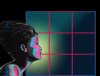
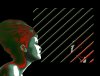
    Could some one do a Tutorial for an Image Like This?

    Any good tip for making an image/poster like this?

    Could some one do a Tutorial for an Image Like This?-3muld.jpg

  2. #2
    Junior Member
    Join Date
    Jan 2011
    Posts
    20
    Thanks
    0
    Thanked 0 Times in 0 Posts

    Re: Could some one do a Tutorial for an Image Like This?

    bump'd

  3. #3
    Forum Mod
    Join Date
    Jun 2011
    Location
    Uk
    Posts
    5,609
    Thanks
    85
    Thanked 449 Times in 424 Posts

    Re: Could some one do a Tutorial for an Image Like This?

    it is basically a tned down version of the obama hope style poster just google a tutorial on that and play with the colours.

  4. #4
    Junior Member
    Join Date
    Feb 2012
    Location
    Melbourne, Australia
    Posts
    4
    Thanks
    0
    Thanked 0 Times in 0 Posts

    Re: Could some one do a Tutorial for an Image Like This?

    I saw a tutorial for the Obama poster but it was in Illustrator..
    I might have a try in Photoshop..will keep you posted..!

  5. #5
    Forum Mod
    Join Date
    Jun 2011
    Location
    Imperial Beach, CA, US
    Posts
    3,566
    Thanks
    97
    Thanked 218 Times in 217 Posts

    Re: Could some one do a Tutorial for an Image Like This?

    Here you go:

    Converting a photo to 3 colors only: black/white/one type of gray

    there are a few other techniques in your example like the horizontal lines. It looks like the wind filter but ... not exactly ... may be a texture. I've seen this before and I can't remember the technique but if I find it, I'll get back to you. There are also some gradients used. You may want to experiment with the posterize and threshold adjustments to transform your subject, then play with the colors.

    In order to put in the colors, you should make a selection of the white or brightest area after you make the adjustment, then mask or delete it to create transparency, or if it is white, without making a selection you can go to the blending area and use the blend if sliders to "erase" the white. If you want to know more about this, come back on to this thread, even if it is a later date (many of us keep our email notifications).

    "may be a texture" oops, meant pattern
    Last edited by ibclare; 02-03-2012 at 10:56 AM.

  6. #6
    Silly Trucker
    Join Date
    May 2011
    Location
    Trucking the big roads, dust and all.
    Posts
    4,552
    Thanks
    43
    Thanked 228 Times in 223 Posts

    Re: Could some one do a Tutorial for an Image Like This?

    Times have changed so much here.


  7. #7
    Forum Mod
    Join Date
    Jun 2011
    Location
    Uk
    Posts
    5,609
    Thanks
    85
    Thanked 449 Times in 424 Posts

    Re: Could some one do a Tutorial for an Image Like This?

    the lines are probably a clipped layer of a duo tone style pattern\ brush there is more to this image than just threshold and colour there is probably a cartoon effect or at the very least the find edges filter used.
    may be a good start
    http://www.gomediazine.com/tutorials...anther-poster/

  8. #8
    Forum Mod
    Join Date
    Jun 2011
    Location
    Imperial Beach, CA, US
    Posts
    3,566
    Thanks
    97
    Thanked 218 Times in 217 Posts

    Re: Could some one do a Tutorial for an Image Like This?

    I agree about the clipping. That is certainly the case. IDK how much PS you do but you could get confused if you try to take this all in at once. I'd suggest that you try some of the techniques and as you work through it, come back for more recommendations for the next step in the process (as it looks like there are a few processes here).

    That's just my suggestion

  9. #9
    Junior Member
    Join Date
    Feb 2012
    Posts
    4
    Thanks
    0
    Thanked 0 Times in 0 Posts

    Re: Could some one do a Tutorial for an Image Like This?

    I feel a majority of it was done in Illustrator.

  10. #10
    Forum Mod
    Join Date
    Jun 2011
    Location
    Imperial Beach, CA, US
    Posts
    3,566
    Thanks
    97
    Thanked 218 Times in 217 Posts

    Re: Could some one do a Tutorial for an Image Like This?

    Interesting. Good thinking. Could be alright. Lots of vector art. Of course, if Rainy doesn't have AI, he could come up with a reasonable facsimile in PS.


Posting Permissions

  • You may not post new threads
  • You may not post replies
  • You may not post attachments
  • You may not edit your posts
Powered by vBulletin® Version 4.1.9
Copyright © 2012 vBulletin Solutions, Inc. All rights reserved.
Content Relevant URLs by vBSEO 3.6.0
Copyright 2011 Photoshop Gurus Forum. All rights reserved.
All times are GMT -5. The time now is 10:28 AM.
vBulletin Skins