2Likes
-
Junior Member
-
-
Forum Mod
Re: What is wrong with this photo?
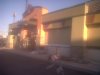
your issue here which happens a lot with unprotected small lenses is just as you took the picture you got a slight glare across the lens or reflected back into the lens you can add a few level adjustment contrast adjustments but your image has not recorded proper depth and has been flattened when it was metering the shot.
-
-
Power User
Re: What is wrong with this photo?
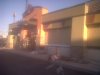
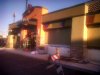
here is an attempt at fixing it.
what i did was first duplicate the image layer then use "Shadow/Highlights" with the "MidTone Contrast" set to full on that layer.
then set the blend mode to "Luminosity"
then duplacate that layer and use the "High pass" filter on it at about 50%
set that layers blend mode to "Hard Light"
then auto adjust the levels (could have done it manually)

probably could have fixed it more but didnt have time
-
-
Member
Re: What is wrong with this photo?
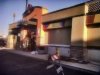
go to levels and darkin it a bit, then go to filter>sharpen>unsharp mask and sharpen it. here is an exaple
-
-
Junior Member
Re: What is wrong with this photo?
Wow! Thank you both!
I can really see the detail in the upper one, and the lower one is more vivid. I'll def try both variations and play around. Thanks for taking the time!
-
-
Forum Mod
Re: What is wrong with this photo?
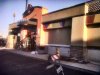
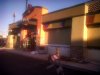
Here's my take. Not too different in approach actually. As Hoog said, you have an unfortunate photo. No matter what is done to it, it will still have a lot of noise (that grainy effect).What I did was convert it to a smart object, do a levels adjustment, increase the black, decrease the gamma. Then I ran a high pass filter (using it to sharpen the image in the hopes of reducing the noise effect) set to overlay blending mode and 70% opacity. Then I merged the photo and the adjustment layer, made a selection of the shadowed foreground, feathered it a bit and did an exposure adjustment layer. I lowered the opacity of the merged layer to 70%. So now you have three versions. 
Last edited by ibclare; 02-02-2012 at 08:14 PM.
-
-
Forum Mod
Re: What is wrong with this photo?
Here I lightened the foreground which was in shadow, exposure adjustment:
-
-
Silly Trucker
Re: What is wrong with this photo?
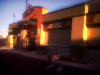
And another, all i did was contrast adjustment and remove some noiseAttachment 13526
-
-
Junior Member
Re: What is wrong with this photo?
It just amazes me how many different approaches can be taken! I want to thank you ALL who have inspired me with these great techniques! You all did a better job than I did, trying to figure it out on my own. I guess it will never be perfect but it sure looks amazingly better than the original!
I am new here and I have to say....
-
-
Power User
Re: What is wrong with this photo?
here is an improvement on my first post.
steps
1. duplicated the original layer and run the noise reduction filter on it with 0 Detail (so its blurred with less noise)
2.and change the blend mode to darken to soften the original image (then merge layers)
3. then i run "Shadow/Hightlight"
-shadow at 0
-Highlights at 100, Tonal Width at about 60, Radius on full
- Color Correction at 0, Midtones Contrast at 0
this gives some detail to the highlights (bright parts)
-
The Following User Says Thank You to Dataflow For This Useful Post:
Posting Permissions
- You may not post new threads
- You may not post replies
- You may not post attachments
- You may not edit your posts
Forum Rules
Powered by
vBulletin® Version 4.1.9
Copyright © 2012 vBulletin Solutions, Inc. All rights reserved.
Content Relevant URLs by
vBSEO 3.6.0
Copyright 2011 Photoshop Gurus Forum. All rights reserved.