Hey Guys, How are you doing ? 
I'm in bit of a trouble here. Recently I accepted an offer on making a small comercial for a Online clothing shop. The add was ment to be filmed with cameras, actors and all that good stuff, but some 3 days into the pre production phase the "boss" changed his mind and decided he want's a CG based movie, aka something with computer graphics/animated and asked me if I can do it to?
Well, I said yes, regardless of the previous project recall, I see it as an importunity that might get me some future projects and ofc experience. Anyway, I took the job all tho I had no idea how to do it, but I did some research and decided to make a Photoshop animation. Was my first time using Photoshop more or less, but I managed to make it look decent in about 3 days time.
However, I am missing an important effect that I was requested to implement. Which is:
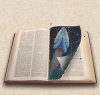
A catalog/book that is flipping trough pages trough out all the add and the book/catalog needs to have specific pictures as the pages.
The background should be transparent because I would shrink the book/catalog to a smaller size to fit it top middle of the screen, and a, for example, green square background on my main composition background, which is pink, would look very bad. (I hope you understand what I mean.) If both The book/catalog and main composition backgrounds would be solid white it would work.
I know there are ways to do it in 3d max, AfterEffects etc, but since I'm kinda on deadline here I wouldn't want to to throw myself cold into another software and expect to get great results in the first few days ( I got 4 days to make it presentable +-)
Could you give me ideas, pointers on how I can do it within Photoshop, or IF there are other simple ways to do it in different app I'd be very happy to hear them out to.
Thank you
Regards
I'm in bit of a trouble here. Recently I accepted an offer on making a small comercial for a Online clothing shop. The add was ment to be filmed with cameras, actors and all that good stuff, but some 3 days into the pre production phase the "boss" changed his mind and decided he want's a CG based movie, aka something with computer graphics/animated and asked me if I can do it to?
Well, I said yes, regardless of the previous project recall, I see it as an importunity that might get me some future projects and ofc experience. Anyway, I took the job all tho I had no idea how to do it, but I did some research and decided to make a Photoshop animation. Was my first time using Photoshop more or less, but I managed to make it look decent in about 3 days time.
However, I am missing an important effect that I was requested to implement. Which is:
A catalog/book that is flipping trough pages trough out all the add and the book/catalog needs to have specific pictures as the pages.
The background should be transparent because I would shrink the book/catalog to a smaller size to fit it top middle of the screen, and a, for example, green square background on my main composition background, which is pink, would look very bad. (I hope you understand what I mean.) If both The book/catalog and main composition backgrounds would be solid white it would work.
I know there are ways to do it in 3d max, AfterEffects etc, but since I'm kinda on deadline here I wouldn't want to to throw myself cold into another software and expect to get great results in the first few days ( I got 4 days to make it presentable +-)
Could you give me ideas, pointers on how I can do it within Photoshop, or IF there are other simple ways to do it in different app I'd be very happy to hear them out to.
Thank you
Regards