restless_rooster
Member
- Messages
- 7
- Likes
- 2
Hey all.
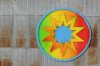
I need some help. I have an image that I would like to put on a tin wall. The image of the photo is attached.
I have a logo that I want to put on it. I want it to look like it belongs there. I added a new layer, added the logo to the layer and made it set the opacity to 20-70%. I tried different opacity percentages. It didn't work too well. Then I feathered the edges and it still didn't look right. I can't quite figure out what I'm missing to make it look right. I can send someone the logo if they want, I just don't want to post it here. The logo is almost circular with nothing transparent in the middle if that helps.
Can anyone tell me what I can do to make it look like it belongs there?
ANY suggestions would be great.
Thanks,
-rooster
I need some help. I have an image that I would like to put on a tin wall. The image of the photo is attached.
I have a logo that I want to put on it. I want it to look like it belongs there. I added a new layer, added the logo to the layer and made it set the opacity to 20-70%. I tried different opacity percentages. It didn't work too well. Then I feathered the edges and it still didn't look right. I can't quite figure out what I'm missing to make it look right. I can send someone the logo if they want, I just don't want to post it here. The logo is almost circular with nothing transparent in the middle if that helps.
Can anyone tell me what I can do to make it look like it belongs there?
ANY suggestions would be great.
Thanks,
-rooster