+ Reply to Thread
Page 1 of 2 12 LastLast
Results 1 to 10 of 15
Like Tree2Likes

Thread: Frozen

  1. #1
    Guru
    Join Date
    May 2011
    Location
    Sweden
    Posts
    1,359
    Thanks
    34
    Thanked 55 Times in 54 Posts

    Frozen

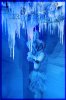
    This didnīt turn out like I meant it to at all. I was trying to make the woman look like she was frozen into the ice wall, but the only way I could figure out how to do it was with using some layers styles, and it looks totally wrong. I also donīt think the reflection works at all, but I donīt know how to fix that either.

    I also wanted the text itself to look frozen, but I gave up on it, because it was too hard to do.

    Anyway, this is how it turned out, if anyone knows how I could have done otherwise, please donīt be shy lol.

    Frozen-frozen-3-f%F6r-sammanl.jpg
    Hoogle and ibclare like this.

  2. #2
    Forum Mod
    Join Date
    Jun 2011
    Location
    Uk
    Posts
    5,609
    Thanks
    85
    Thanked 449 Times in 424 Posts

    Re: Frozen

    thats cool (literally) there are some filters you may want to try adding though like a soft glass effect to give it that ice cube look

  3. #3
    Guru
    Join Date
    Aug 2011
    Location
    Sweden
    Posts
    559
    Thanks
    28
    Thanked 32 Times in 32 Posts

    Re: Frozen

    Beautiful! Love the blue feeling! But sad when thinking about that summer is kinda over by now and weīre heading for something similar to that phrozen h*ll as shown in your artwork.. sigh!

  4. #4
    Guru
    Join Date
    May 2011
    Location
    Sweden
    Posts
    1,359
    Thanks
    34
    Thanked 55 Times in 54 Posts

    Re: Frozen

    Quote Originally Posted by Hoogleman View Post
    thats cool (literally) there are some filters you may want to try adding though like a soft glass effect to give it that ice cube look
    Thank you Hoogleman! I will try using filters, I always have problems with them though, because I donīt seem to able to use them unless Iīve flattened something first. Iīll have to read up on that!

  5. #5
    Guru
    Join Date
    May 2011
    Location
    Sweden
    Posts
    1,359
    Thanks
    34
    Thanked 55 Times in 54 Posts

    Re: Frozen

    Quote Originally Posted by fenix View Post
    Beautiful! Love the blue feeling! But sad when thinking about that summer is kinda over by now and weīre heading for something similar to that phrozen h*ll as shown in your artwork.. sigh!
    Thank you Fenix! Yes, itīll be cold again soon, and we havenīt even really had any summer yet, sigh.

  6. #6
    Guru
    Join Date
    Jul 2011
    Location
    San Diego, CA
    Posts
    593
    Thanks
    9
    Thanked 25 Times in 25 Posts

    Re: Frozen

    Vafann,

    I say keep working on it. Find an on-line tutorial that has the look you want, and go for it!


    Agent

  7. #7
    Forum Mod
    Join Date
    Jun 2011
    Location
    Imperial Beach, CA, US
    Posts
    3,566
    Thanks
    97
    Thanked 218 Times in 217 Posts

    Re: Frozen

    Quote Originally Posted by Vafann View Post
    I was trying to make the woman look like she was frozen into the ice wall I also donīt think the reflection works at all, but I donīt know how to fix that either.

    I also wanted the text itself to look frozen, but I gave up on it, because it was too hard to do.
    Like Hoogle said, try the filters. Glass is a really good one and I used glass with plastic wrap over it to get an icy effect in letters. As for the reflection, decide what it's reflecting on. Then bring your distance closer and make the reflection shorter than the figure itself. If the reflection is over a bumpy surface (and I realize it isn't in this picture), just warp it a bit. You could try a displacement map if you have the energy for that. I would take the easy way and do a warp first. Just duplicate it before you mess with it. Also bend the angle with a distort or perspective transformation, or even the warp. Is your figure suspended in the air? If the reflection is meant to be on the "wall," then I would distort it so that it falls behind and bends with the angle where the walls meet.

    It's Cool (ha ha). I really do like it Vafann.

    Here's a not very good distortion transformation. I chose the ice wall to his side for reflecting. Just decide what is doing the reflecting. In the situation, it may be multiple places, but you could pick one and few would question it!
    Attached Thumbnails Attached Thumbnails Frozen-ice_float.jpg  

    Last edited by ibclare; 08-29-2011 at 07:06 PM.

  8. The Following User Says Thank You to ibclare For This Useful Post:

    Vafann (08-30-2011)

  9. #8
    Guru
    Join Date
    Jan 2011
    Location
    Elizabeth Port NJ
    Posts
    1,503
    Thanks
    15
    Thanked 149 Times in 143 Posts

    Re: Frozen

    Hi Vafann

    Nice Try, but I know you can do a lot better, you just need some Frozen tips and patience

    This may help you whit some tips on getting that effect
    How to Create a Human Being Frozen

    The frozen text is a pretty simple effect
    Frozen Text

    The reflections effect it's basically created by using a layer mask and a basic gradient like in this tut.
    Reflections

    Hope this helps

    Cuando soy Bueno, soy muy BUENO
    Pero cuando soy malo, soy mucho MEJOR

  10. The Following User Says Thank You to $1r_M4x1mu$ For This Useful Post:

    Vafann (08-30-2011)

  11. #9
    Forum Mod
    Join Date
    Jun 2011
    Location
    Imperial Beach, CA, US
    Posts
    3,566
    Thanks
    97
    Thanked 218 Times in 217 Posts

    Re: Frozen

    and don't forget the one you gave me Sir M:
    Design a Chilling and Icy Text Effect in Photoshop

    I think I'll enjoy them all. Tx again.

  12. #10
    Silly Trucker
    Join Date
    May 2011
    Location
    Trucking the big roads, dust and all.
    Posts
    4,552
    Thanks
    43
    Thanked 228 Times in 223 Posts

    Re: Frozen

    Vafann i made this, your idea inspired me
    Attached Thumbnails Attached Thumbnails Frozen-iced.jpg  


Tags for this Thread

Posting Permissions

  • You may not post new threads
  • You may not post replies
  • You may not post attachments
  • You may not edit your posts
Powered by vBulletin® Version 4.1.9
Copyright © 2012 vBulletin Solutions, Inc. All rights reserved.
Content Relevant URLs by vBSEO 3.6.0
Copyright 2011 Photoshop Gurus Forum. All rights reserved.
All times are GMT -5. The time now is 11:32 AM.
vBulletin Skins